
Jenkins Notifier for Chrome™ Chrome 插件, crx 扩展下载
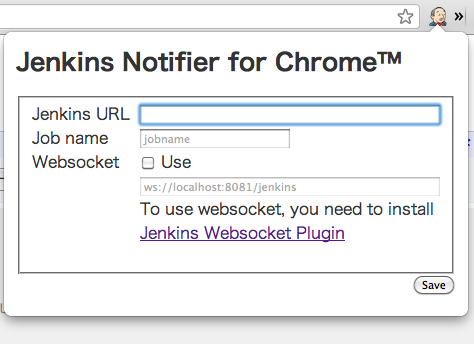
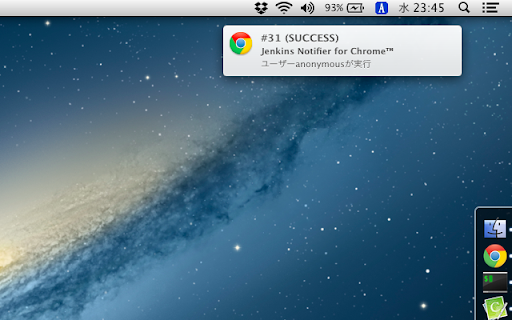
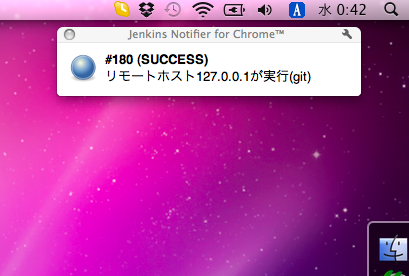
Jenkins Notifier for Chrome™ is an (unofficial) extension for Jenkins ( http://jenkins-ci.org ).
This extension notifies you of…
Jenkins Notifier for Chrome™ is an (unofficial) extension for Jenkins ( http://jenkins-ci.org ).
This extension notifies you of build results by pop-ups.
If you use Jenkins Websocket plugin ( https://wiki.jenkins-ci.org/display/JENKINS/Websocket+Plugin ), you can receive notifications in real time.
History:
0.3.4
fix broken notifications
0.3.3
add option "Notification: only failure"
0.3.2
support "Use status format" option (from Jenkins Websocket Plugin 1.0.6)
0.3.1
update manifest version 2
0.3:
Bugfix.
0.2:
First release.
Authors:
mallowlabs <[email protected]>
mzp <[email protected]>
Repository:
http://github.com/mallowlabs/jenkins-notifier-for-chrome/
This extension is an open source software (The MIT License).
| 分类 | 💻开发者工具 |
| 插件标识 | mnjbjjllbclkpnebaddhkoonjelmiekm |
| 平台 | Chrome |
| 评分 |
☆☆☆☆☆
|
| 评分人数 | |
| 插件主页 | https://chromewebstore.google.com/detail/jenkins-notifier-for-chro/mnjbjjllbclkpnebaddhkoonjelmiekm |
| 版本号 | 8.3 |
| 大小 | 62.48KiB |
| 官网下载次数 | 513 |
| 下载地址 | |
| 更新时间 | 2015-07-11 00:00:00 |
CRX扩展文件安装方法
第1步: 打开Chrome浏览器的扩展程序
第2步:
在地址栏输入: chrome://extensions/
第3步: 开启右上角的【开发者模式】
第4步: 重启Chrome浏览器 (重要操作)
第5步: 重新打开扩展程序管理界面
第6步: 将下载的crx文件直接拖入页面完成安装
注意:请确保使用最新版本的Chrome浏览器