
Xposer Chrome 插件, crx 扩展下载
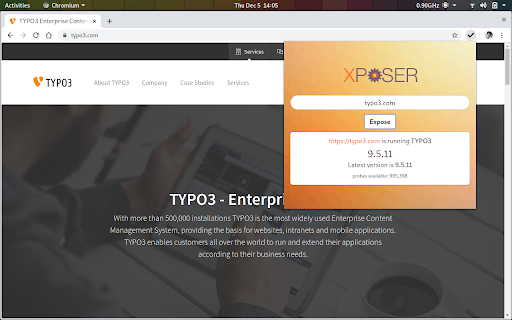
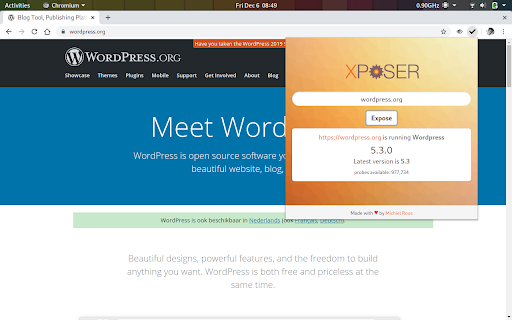
Uses the Xposer.io API to show the product, the exact version and a full product vulnerability report for a given website.
Have you ever wondered what version of Wordpress a site is running? Now there is an easy way to find out. The Xposer extension makes it convenient to call out to the xposer.io API from the website you are currently viewing. Just click the extension icon and click 'Expose'. The product and exact version of the website you are viewing will be revealed to you.
As a developer you can use this information to offer the owner of the site an upgrade of the detected product.
As a site owner you can check if you are running the most recent version of the product.
The version is not gleaned from the meta tags of the website, but by checking of key characteristics of each known product.
- Wordpress
- Drupal
- Joomla
- TYPO3
- Concrete 5
More products and capabilities will be added in the near future.
| 分类 | 💻开发者工具 |
| 插件标识 | mnnfjgnafollgnkkfgkfodfidahpmffa |
| 平台 | Chrome |
| 评分 |
☆☆☆☆☆
|
| 评分人数 | |
| 插件主页 | https://chromewebstore.google.com/detail/xposer/mnnfjgnafollgnkkfgkfodfidahpmffa |
| 版本号 | 8.3 |
| 大小 | 83.97KiB |
| 官网下载次数 | 21 |
| 下载地址 | |
| 更新时间 | 2019-12-22 00:00:00 |
CRX扩展文件安装方法
第1步: 打开Chrome浏览器的扩展程序
第2步:
在地址栏输入: chrome://extensions/
第3步: 开启右上角的【开发者模式】
第4步: 重启Chrome浏览器 (重要操作)
第5步: 重新打开扩展程序管理界面
第6步: 将下载的crx文件直接拖入页面完成安装
注意:请确保使用最新版本的Chrome浏览器