
Steam All Region Price Checker Chrome 插件, crx 扩展下载
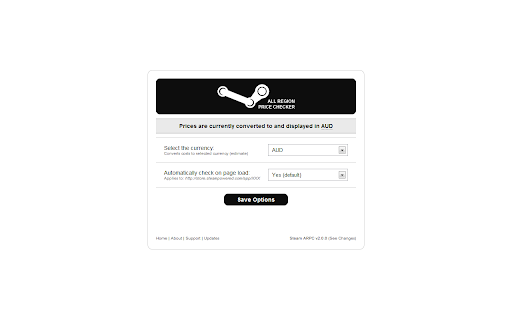

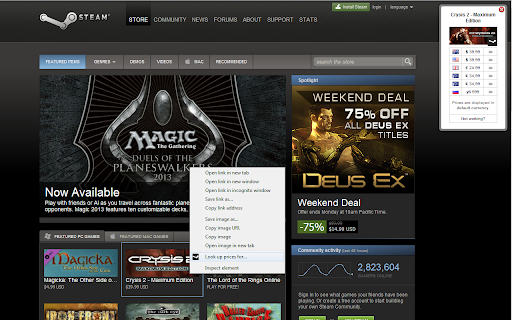
Enables the user display all the regional costs of a Steam game simultaneously
This is not an official Steam/Valve product. All trademarks are property of their respective owners.
Most people are aware that Steam games have different prices for different regions. Steam All Region Price Checker is a Chrome Extension that enables you to instantly compare prices for a Steam game across most regions simultaneously without having to leave the current page.
Using the Chrome Extension is as easy as pie. Simply install the extension and it will take care of the rest. Alternatively you can manually use it for:
1. Current Page: Visit any Steam game url and right click somewhere blank on the page and click "Look up current page".
2. Target URL: Right click on any hyperlink directed towards a steam game and click "Look up prices for..."
For more information, support and to see the most popular searches view the website here: http://www.steamregionalprices.com/
~~~Latest Update~~~
- Now works over HTTPS
| 分类 | 🛍️购物 |
| 插件标识 | mopoebekmlkmahpfjjgibkbnciooimhn |
| 平台 | Chrome |
| 评分 |
☆☆☆☆☆
|
| 评分人数 | |
| 插件主页 | https://chromewebstore.google.com/detail/steam-all-region-price-ch/mopoebekmlkmahpfjjgibkbnciooimhn |
| 版本号 | 7.23.0.672 |
| 大小 | 81.99KiB |
| 官网下载次数 | 4000 |
| 下载地址 | |
| 更新时间 | 2020-10-05 00:00:00 |
CRX扩展文件安装方法
第1步: 打开Chrome浏览器的扩展程序
第2步:
在地址栏输入: chrome://extensions/
第3步: 开启右上角的【开发者模式】
第4步: 重启Chrome浏览器 (重要操作)
第5步: 重新打开扩展程序管理界面
第6步: 将下载的crx文件直接拖入页面完成安装
注意:请确保使用最新版本的Chrome浏览器