
Ruzu Anki pop-ups Chrome 插件, crx 扩展下载
Chrome extension that periodically presents Anki cards via notifications
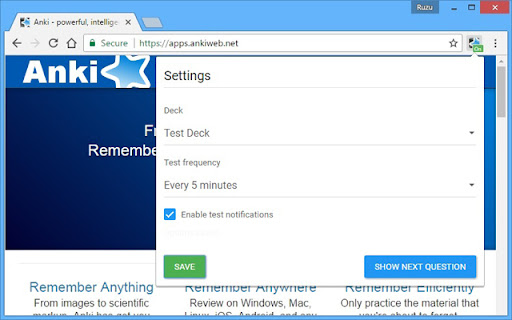
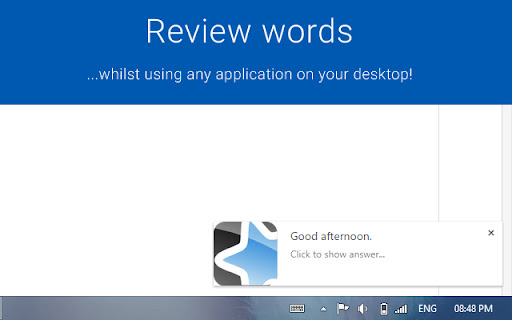
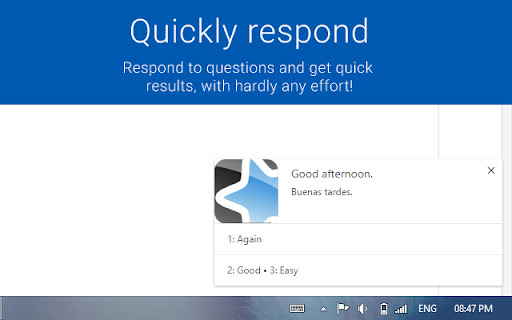
This Chrome extension allows you to review Anki decks whilst working on other important tasks by harnessing the power of desktop notifications! Cards from your chosen deck will periodically pop up for you to review.
Features include:
- Deck select
- Set how often cards pop up (every 5 mins, 10 mins etc)
- Turn on and off with the flick of a switch
- Check the status of the app with a glance (pop-ups enabled/disabled etc)
- Shortcuts to enable / disable pop-ups or show the next card early
- Currently supports text based Anki decks and models only.
- Configure how card fields are displayed for each model.
| 分类 | 📝工作流程与规划 |
| 插件标识 | mpjdjilfcgmndfnailloidpemknemeno |
| 平台 | Chrome |
| 评分 |
☆☆☆☆☆
|
| 评分人数 | |
| 插件主页 | https://chromewebstore.google.com/detail/ruzu-anki-pop-ups/mpjdjilfcgmndfnailloidpemknemeno |
| 版本号 | 25.2.3.0 |
| 大小 | 274KiB |
| 官网下载次数 | 452 |
| 下载地址 | |
| 更新时间 | 2020-11-03 00:00:00 |
CRX扩展文件安装方法
第1步: 打开Chrome浏览器的扩展程序
第2步:
在地址栏输入: chrome://extensions/
第3步: 开启右上角的【开发者模式】
第4步: 重启Chrome浏览器 (重要操作)
第5步: 重新打开扩展程序管理界面
第6步: 将下载的crx文件直接拖入页面完成安装
注意:请确保使用最新版本的Chrome浏览器