
9GAG Lite Chrome 插件, crx 扩展下载
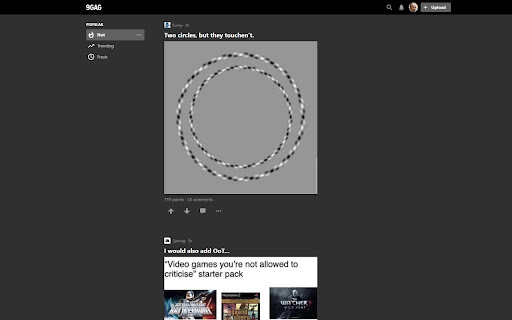
Change 9gag as you want to work like it should
New features
- Zoom into profile pictures when user hovers over them
- Download images/GIFs/videos
- Show length of videos and GIFs
- Prevent autoplaying GIFs/videos
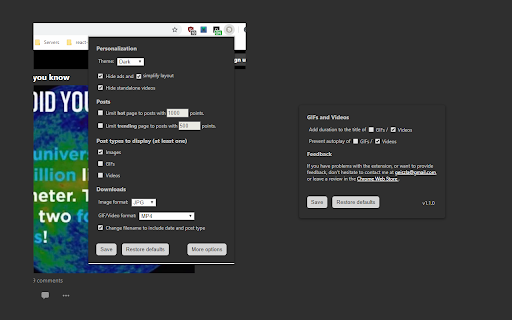
All features can be turned on and off with a simple switch when clicking on the extension icon.
Features:
- Choose between light and dark theme
- Hide ads
- Simplify website layout, remove clutter
- Limit posts on hot and trending page by number of points
- Choose which type of posts to see (images/GIFs/videos)
- Download images/GIFs/videos
- Show length of videos and GIFs
- Prevent autoplaying GIFs/videos
- Zoom into profile pictures when user hovers over them
Planned features:
- Prevent post preload to save data
- Show OP's name if she/he commented on the post
- Copy link button under posts
- Bigger posts
- Normalize post order
- Don't show already seen posts
- Prevent loading hot posts in trending (by point limit)
- Multiple page layout options (e.g. hide only social links, hide only sidebar, etc.)
- Favorites
- Censor emojis ;)
More ideas are welcome.
| 分类 | 📝工作流程与规划 |
| 插件标识 | namifldkgnlkiocmnhhpbppcoimcpobm |
| 平台 | Chrome |
| 评分 |
☆☆☆☆☆
|
| 评分人数 | |
| 插件主页 | https://chromewebstore.google.com/detail/9gag-lite/namifldkgnlkiocmnhhpbppcoimcpobm |
| 版本号 | 25.2.3.0 |
| 大小 | 26.04KiB |
| 官网下载次数 | 23 |
| 下载地址 | |
| 更新时间 | 2019-01-11 00:00:00 |
CRX扩展文件安装方法
第1步: 打开Chrome浏览器的扩展程序
第2步:
在地址栏输入: chrome://extensions/
第3步: 开启右上角的【开发者模式】
第4步: 重启Chrome浏览器 (重要操作)
第5步: 重新打开扩展程序管理界面
第6步: 将下载的crx文件直接拖入页面完成安装
注意:请确保使用最新版本的Chrome浏览器