
JiGit - Jira issue title to branch name Chrome 插件, crx 扩展下载
Сonverts Jira issue title to branch name and puts it on the clipboard
Browser extension that frees from the routine of creating a branch name when using Jira.
Features
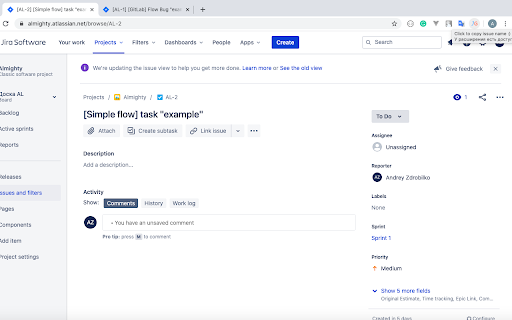
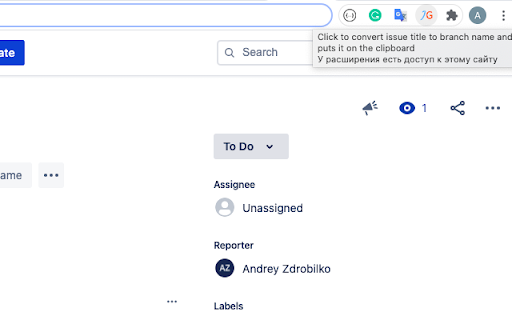
* One click branch name creation when you on Jira issue page
* Put branch name on the clipboard
* Support Git/GitLab flow naming
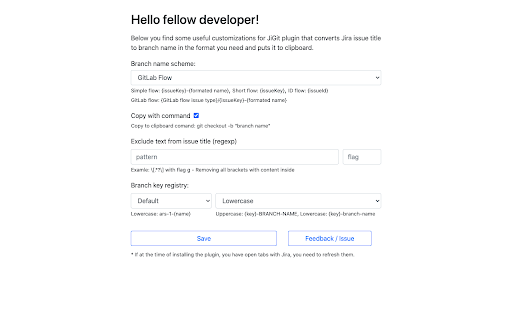
* Support generation name inside command: git checkout -b "brach name"
* Support exclude text from issue title (regexp)
* Transliterate cyrillic to latin
* No analytics or user data collection
* Open source project (https://github.com/VeritasV/JiGit)
Motivation: remove daily routine with brach naming and save personal time.
How much do you think developers working with Git and Jira spend on creating name for one branch?
According to my calculations, an average of 30 seconds, which seems complete nonsense. But if you calculate creating 1-2 tasks and 2-3 bugs a day takes 150 seconds, and per year it's going to add 10 hours, 10 hours of your life per year!
JiGit is designed to solve this problem, being on the issue page in Jira, with one click you get the desired branch name.
| 分类 | 💻开发者工具 |
| 插件标识 | ncdeagabpcocllogfobfggmhgacmplie |
| 平台 | Chrome |
| 评分 |
☆☆☆☆☆
|
| 评分人数 | |
| 插件主页 | https://chromewebstore.google.com/detail/jigit-jira-issue-title-to/ncdeagabpcocllogfobfggmhgacmplie |
| 版本号 | 1.0.4 |
| 大小 | 19.97KiB |
| 官网下载次数 | 65 |
| 下载地址 | |
| 更新时间 | 2020-07-21 00:00:00 |
CRX扩展文件安装方法
第1步: 打开Chrome浏览器的扩展程序
第2步:
在地址栏输入: chrome://extensions/
第3步: 开启右上角的【开发者模式】
第4步: 重启Chrome浏览器 (重要操作)
第5步: 重新打开扩展程序管理界面
第6步: 将下载的crx文件直接拖入页面完成安装
注意:请确保使用最新版本的Chrome浏览器