
Adstxter – Ads.txt Seller Tester Chrome 插件, crx 扩展下载
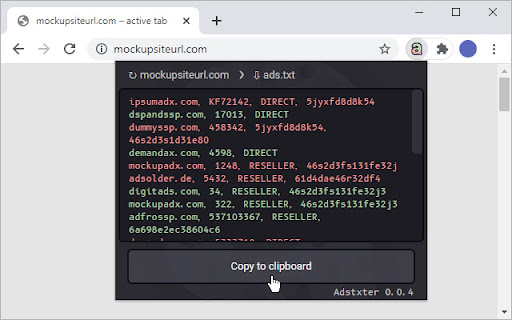
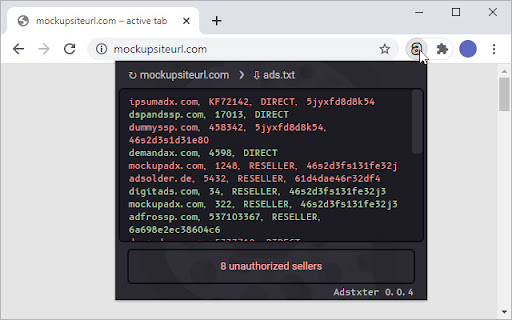
Check your sellers’ ads.txt authorization on any website
Adstxter is a lightweight tool for detecting missing sellers in ads.txt files. It provides a one-click test for the presence of specified sellers. The test is run on the currently open site.
Sellers for testing are defined in the input field of the Adstxter window. Entered sellers are saved across browser sessions until replaced or removed.
Adstxter is inactive and not using system resources when its window is not open. This ensures minimal system load and no intrusion into the browser usage.
The implementation of the testing follows the IAB Tech Lab's ads.txt specification.
Checking ads.txt files on subdomains is currently not implemented.
Source code available on https://github.com/lusitdev/Adstxter
| 分类 | 📝工作流程与规划 |
| 插件标识 | ncdnbcbfjcflaocmpnhjajngpdoipnci |
| 平台 | Chrome |
| 评分 |
☆☆☆☆☆
|
| 评分人数 | |
| 插件主页 | https://chromewebstore.google.com/detail/adstxter-–-adstxt-seller/ncdnbcbfjcflaocmpnhjajngpdoipnci |
| 版本号 | 25.2.3.0 |
| 大小 | 79.94KiB |
| 官网下载次数 | 51 |
| 下载地址 | |
| 更新时间 | 2020-12-02 00:00:00 |
CRX扩展文件安装方法
第1步: 打开Chrome浏览器的扩展程序
第2步:
在地址栏输入: chrome://extensions/
第3步: 开启右上角的【开发者模式】
第4步: 重启Chrome浏览器 (重要操作)
第5步: 重新打开扩展程序管理界面
第6步: 将下载的crx文件直接拖入页面完成安装
注意:请确保使用最新版本的Chrome浏览器