
AWS Favorites To Pins Chrome 插件, crx 扩展下载
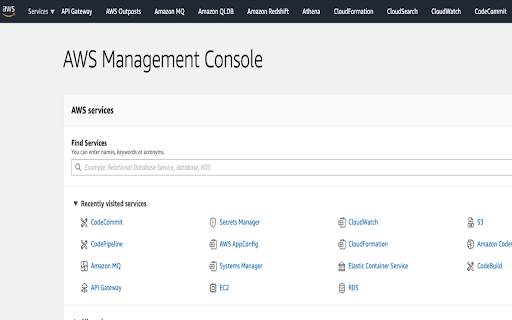
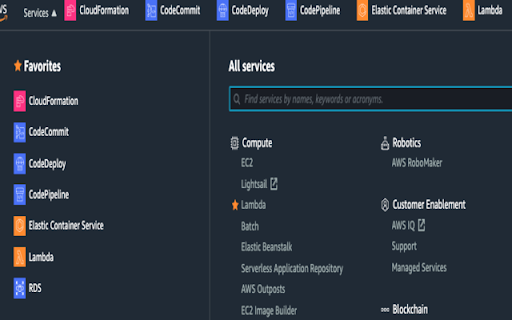
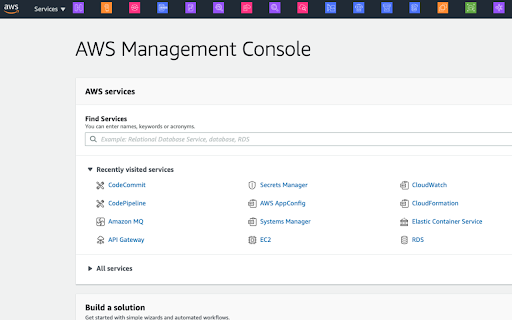
Pick up AWS services from favorites list and make them into pins on the header as they should be!
For your AWS Console, create pins for favorite services on the navigation header and save a few clicks!
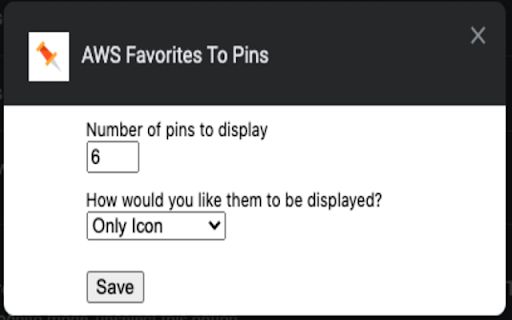
Pins are created based on the services you have favorited. You can decide how many pins to show on the navigation header & how they should appear - as just icons, just labels or both icon & label!
This project is open-source.
Please feel free to take a look at the code and contribute to make it better!
https://github.com/aravindparappil46/aws-favs-to-pins
If you found this extension useful, please leave a review & spread the joy!
Release Notes
v1.1 - Feature | Users can now select required number of pins & how they want the pins to appear (as only icons, only labels or both icon & label)
v1.0 - Bug fix | Pins were not displayed occasionally
| 分类 | 📝工作流程与规划 |
| 插件标识 | ncldghmgebieadpbefcmhicjepidmnhc |
| 平台 | Chrome |
| 评分 |
☆☆☆☆☆
|
| 评分人数 | |
| 插件主页 | https://chromewebstore.google.com/detail/aws-favorites-to-pins/ncldghmgebieadpbefcmhicjepidmnhc |
| 版本号 | 25.2.3.0 |
| 大小 | 22.4KiB |
| 官网下载次数 | 80 |
| 下载地址 | |
| 更新时间 | 2020-10-06 00:00:00 |
CRX扩展文件安装方法
第1步: 打开Chrome浏览器的扩展程序
第2步:
在地址栏输入: chrome://extensions/
第3步: 开启右上角的【开发者模式】
第4步: 重启Chrome浏览器 (重要操作)
第5步: 重新打开扩展程序管理界面
第6步: 将下载的crx文件直接拖入页面完成安装
注意:请确保使用最新版本的Chrome浏览器