
Noojee Click for Asterisk Chrome 插件, crx 扩展下载
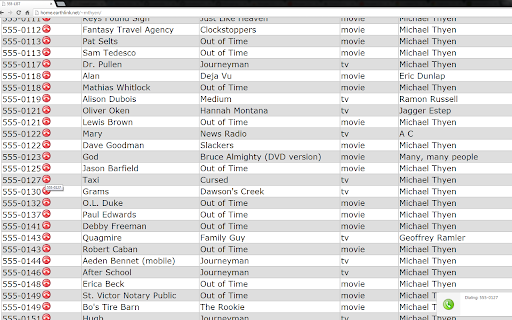
Turns phone numbers in any web page into click-to-dial links.
This extension connects your browser with an Asterisk-based phone system to enable click-to-call on phone numbers in webpages.
Originally developed by Noojee.com.au as an open-source Chrome extension but later abandoned, I've updated it to run in the latest versions of Chrome (As of Sep, 2013)
System requirements are available at:
http://noojee.com.au/store/software/noojee-click/
Source code is GPL, available at:
https://github.com/tubaterry/Noojee-Click-for-Asterisk
| 分类 | 📝工作流程与规划 |
| 插件标识 | neaigllemckgddgdbiipcmnpioehkcom |
| 平台 | Chrome |
| 评分 |
☆☆☆☆☆
|
| 评分人数 | |
| 插件主页 | https://chromewebstore.google.com/detail/noojee-click-for-asterisk/neaigllemckgddgdbiipcmnpioehkcom |
| 版本号 | 0.91.1 |
| 大小 | 263KiB |
| 官网下载次数 | 238 |
| 下载地址 | |
| 更新时间 | 2013-09-27 00:00:00 |
CRX扩展文件安装方法
第1步: 打开Chrome浏览器的扩展程序
第2步:
在地址栏输入: chrome://extensions/
第3步: 开启右上角的【开发者模式】
第4步: 重启Chrome浏览器 (重要操作)
第5步: 重新打开扩展程序管理界面
第6步: 将下载的crx文件直接拖入页面完成安装
注意:请确保使用最新版本的Chrome浏览器