
Beludia - Save All Tabs Chrome 插件, crx 扩展下载
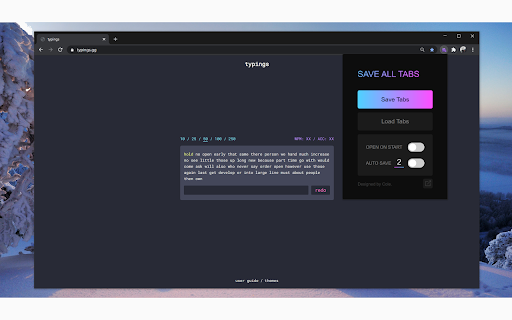
Save all currently open tabs, and reopen them on restart!
Save All Tabs allows you to save all your currently open tabs in all chrome windows, and allows you to quickly re-open them back up exactly where you left off.
✅ Saves tabs in multiple windows
✅ Saves the order all your tabs were arranged in
✅ Remembers if it was a regular or incognito window
✅ Export all tabs to chrome bookmarks
Features:
⚫ Save Tabs - Saves all current tabs in all currently opened Chrome windows.
⚫ Load Tabs - Opens your previously saved Chrome tabs in the exact same window layout they were in when you saved them originally.
⚫ Auto Open on Start - On/Off switch to specify if the user wants their previously saved tabs to automatically be opened when launching chrome after restart.
⚫ Auto Save Tabs - Periodically saves all your currently tabs. There's an input box which allows the user to specify the auto save frequency if experiencing any processing / networking delays.
⚫ Export Tabs to Chrome Bookmarks - Exports all currently open Chrome tabs into a Chrome Bookmarks folder. Default folder will be created as SAVE ALL TABS at the highest bookmarks level.
| 分类 | 📝工作流程与规划 |
| 插件标识 | nflekaoakegjcogmjhnfdfijhmhmneim |
| 平台 | Chrome |
| 评分 |
☆☆☆☆☆
|
| 评分人数 | |
| 插件主页 | https://chromewebstore.google.com/detail/beludia-save-all-tabs/nflekaoakegjcogmjhnfdfijhmhmneim |
| 版本号 | 89 |
| 大小 | 38.11KiB |
| 官网下载次数 | 117 |
| 下载地址 | |
| 更新时间 | 2023-01-16 00:00:00 |
CRX扩展文件安装方法
第1步: 打开Chrome浏览器的扩展程序
第2步:
在地址栏输入: chrome://extensions/
第3步: 开启右上角的【开发者模式】
第4步: 重启Chrome浏览器 (重要操作)
第5步: 重新打开扩展程序管理界面
第6步: 将下载的crx文件直接拖入页面完成安装
注意:请确保使用最新版本的Chrome浏览器