
Brightspace Improvements Chrome 插件, crx 扩展下载
Improves myCourses/desire2learn websites
Extension for Brightspace's myCourses/Desire2Learn websites
Note: Requires all websites permission to account for the various myCourses/Desire2Learn web domains
Login Page
-Autofocus on login button
-Autologin option
General
-Only shows currently enrolled courses under "select a course" drop down menu
Home Page
-Removes unnecessary sections and content
Content Page
-Option to open links in pop out window (instead of redirecting the current page)
-Content Menu's position is fixed (won't scroll with page)
Popout content
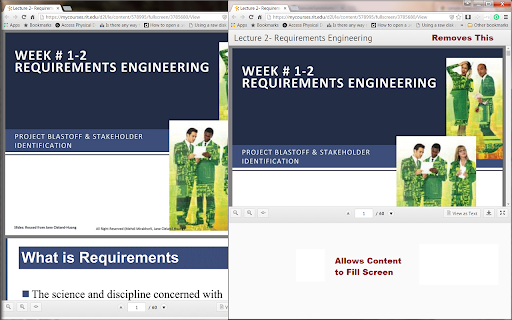
-Fixed popouts not resizing to window size
-Removes the header in popout content allowing for more content to be displayed on screen
Discussions
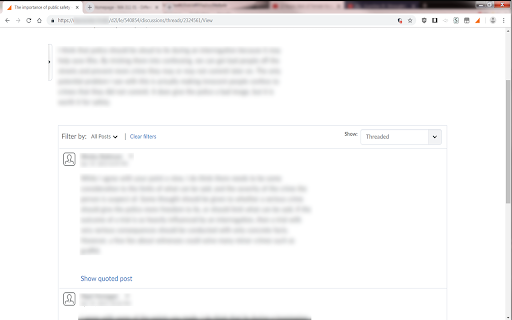
-Hides quoted content in posts
| 分类 | ♿无障碍访问 |
| 插件标识 | ngplfhblfejgjnaapcajgiccnapfhchi |
| 平台 | Chrome |
| 评分 |
☆☆☆☆☆
|
| 评分人数 | |
| 插件主页 | https://chromewebstore.google.com/detail/brightspace-improvements/ngplfhblfejgjnaapcajgiccnapfhchi |
| 版本号 | 2.19.1 |
| 大小 | 44.13KiB |
| 官网下载次数 | 792 |
| 下载地址 | |
| 更新时间 | 2019-03-03 00:00:00 |
CRX扩展文件安装方法
第1步: 打开Chrome浏览器的扩展程序
第2步:
在地址栏输入: chrome://extensions/
第3步: 开启右上角的【开发者模式】
第4步: 重启Chrome浏览器 (重要操作)
第5步: 重新打开扩展程序管理界面
第6步: 将下载的crx文件直接拖入页面完成安装
注意:请确保使用最新版本的Chrome浏览器