
DOU enhancer Chrome 插件, crx 扩展下载

Chrome extension that adds WYSIWYG editor (and more!) to dou.ua
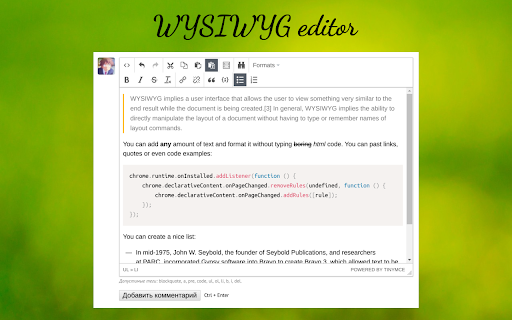
This extension improves UI of https://dou.ua/ by adding WYSIWYG editor and image previews in user comments.
Core features:
- Adds WYSIWYG editor, configured to work only with accepted tags (TinyMCE)
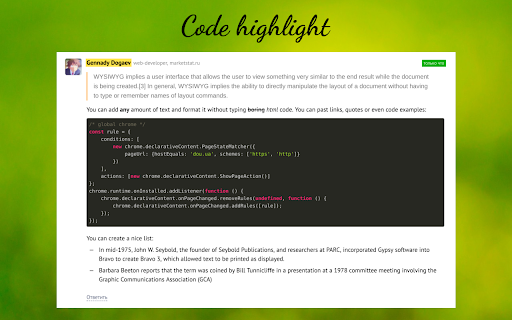
- Adds syntax highlight for code (code should be added by WYSIWYG for correct highlighting)
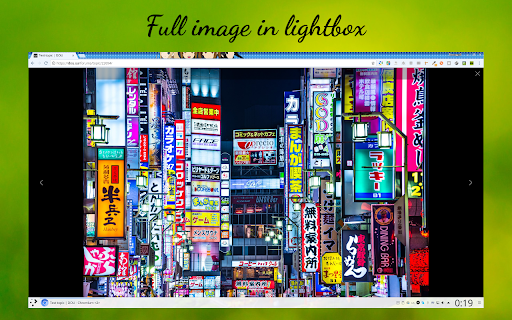
- Adds previews for images (if comment contains link to jpg/png/gif - image will be added to the end of comment)
- Adds previews for YouTube videos (if comment contains link to YT video)
- You can control preview size or disable media preview completely
- Expands all threads
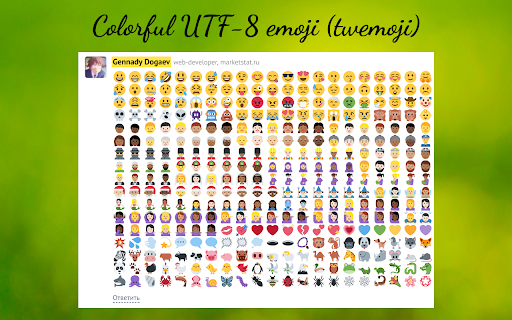
- Replaces utf-8 emoji with twemoji
| 分类 | 👥社交 |
| 插件标识 | nhklbdmnfeelpcppmpbgldeamflkijdn |
| 平台 | Chrome |
| 评分 |
☆☆☆☆☆
|
| 评分人数 | |
| 插件主页 | https://chromewebstore.google.com/detail/dou-enhancer/nhklbdmnfeelpcppmpbgldeamflkijdn |
| 版本号 | 3.128.4 |
| 大小 | 3.9MiB |
| 官网下载次数 | 27 |
| 下载地址 | |
| 更新时间 | 2020-05-13 00:00:00 |
CRX扩展文件安装方法
第1步: 打开Chrome浏览器的扩展程序
第2步:
在地址栏输入: chrome://extensions/
第3步: 开启右上角的【开发者模式】
第4步: 重启Chrome浏览器 (重要操作)
第5步: 重新打开扩展程序管理界面
第6步: 将下载的crx文件直接拖入页面完成安装
注意:请确保使用最新版本的Chrome浏览器