
Fetching Browser History Search Chrome 插件, crx 扩展下载


Supercharge your Chrome history. Fetching is your personal Google for all the web pages you've seen.
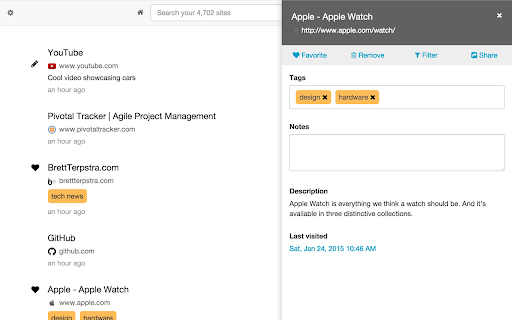
Fetching is a new kind of bookmarking app and history search. It keeps track of all the web pages you visit so you can easily re-find them later. It's like your own personal Google -- a search engine for all the webpages you've seen. Also available as a native OS X application.
Learn more at http://fetching.io
Saves Everything
--------------------
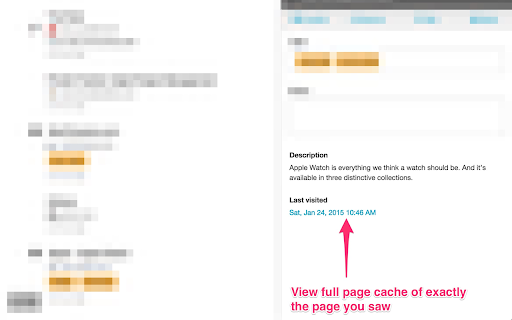
Fetching saves the full content of the web pages you visit exactly as you see them so you can search on what you remember -- not on what happens to be public. View your cached page copies at any time.
Powerful Search
--------------------
Sophisticated search ensures you always find what you're looking for, even if you only remember a few keywords. Natural language processing ensures you get results even when you can't be precise.
Sophisticated Filters
-----------------------
Slice and dice your data like a samurai. Filter your results by domain, time, body, title, notes and tags.
Automatic
------------
Fetching is fully automatic via a small browser plug-in that runs in the background. Just like your browser history -- only better. You don't need to do anything to keep track of everything.
Complete Privacy Control
-----------------------------
Fetching is fully disabled in private and incognito modes and the extension can be turned off at any time. Rich filtering by domain and regular expression lets you blacklist any site.
Tags and Notes New
------------------------
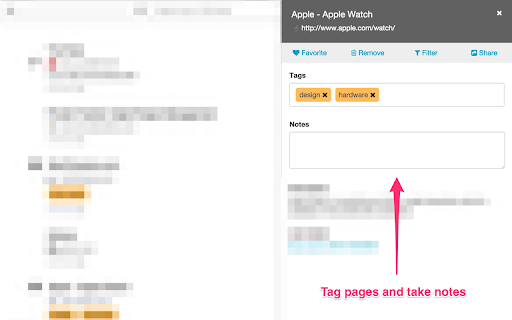
Tag like a pro including auto-complete and keep notes on important sites. Easily search and filter on both.
Quick and Simple UI
-----------------------
Fetching uses reactive technology, responding immediately as you search and add content. A clean user interface gets you quickly to your goal then gets out of the way.
Bookmarks
-------------
Just like mom used to make. You can bookmark / favorite any site directly from your browser without leaving the page you're reading. Easily filter and search your saved sites later.
| 分类 | 🛠️工具 |
| 插件标识 | nhogooppmliljkaickdcmdnmaheaicmg |
| 平台 | Chrome |
| 评分 |
☆☆☆☆☆
|
| 评分人数 | |
| 插件主页 | https://chromewebstore.google.com/detail/fetching-browser-history/nhogooppmliljkaickdcmdnmaheaicmg |
| 版本号 | 3.0.1 |
| 大小 | 722KiB |
| 官网下载次数 | 536 |
| 下载地址 | |
| 更新时间 | 2016-01-31 00:00:00 |
CRX扩展文件安装方法
第1步: 打开Chrome浏览器的扩展程序
第2步:
在地址栏输入: chrome://extensions/
第3步: 开启右上角的【开发者模式】
第4步: 重启Chrome浏览器 (重要操作)
第5步: 重新打开扩展程序管理界面
第6步: 将下载的crx文件直接拖入页面完成安装
注意:请确保使用最新版本的Chrome浏览器