
Phosphorate Chrome 插件, crx 扩展下载
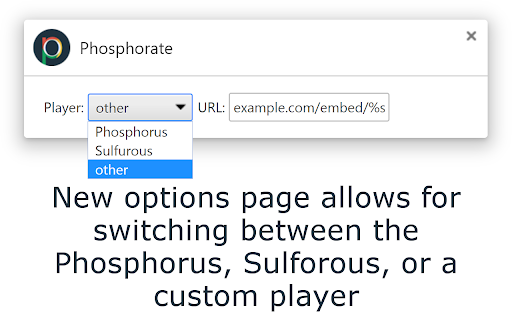
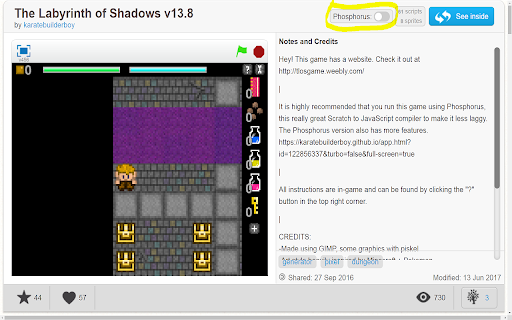
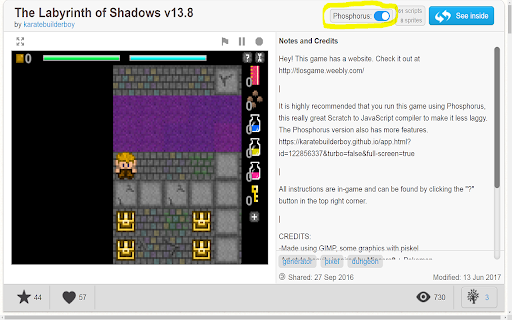
Simple extension to include an option on Scratch player pages to use the Phosphorus player.
This is a simple extension that adds an switch on Scratch (https://scratch.mit.edu/) player pages (pages for projects, which are of the format https://scratch.mit.edu/projects/[project id]), such as https://scratch.mit.edu/projects/10000007/) that allows the use of the Phosphorus renderer (or other Scratch renderers) instead of the default Flash renderer.
The source code is hosted on Github at https://github.com/thepeanutman98/Phosphorate
If you are making a website and want it to load faster, try OptiPic. They automatically compress all the images on your website with an easy-to-use interface. Use the link https://optipic.io/en/?my_coupon=90j9PaUisXkMcWe3LCRKFjOfSXpC9Y1a or use the offer code 90j9PaUisXkMcWe3LCRKFjOfSXpC9Y1a at sign-in to get 5-10% off, and support further development of extensions like these!
Note: Phosphorus can be found at https://phosphorus.github.com and was made by Nathan Dinsmore. Phosphorate was not developed by any of the developers of Phosphorus. Phosphorate simply uses the Phosphorus player. The same is true for the Sulfurous player.
| 分类 | 💻开发者工具 |
| 插件标识 | nipcpbcfojhiehanhhddkmfjdgjdfolg |
| 平台 | Chrome |
| 评分 |
☆☆☆☆☆
|
| 评分人数 | |
| 插件主页 | https://chromewebstore.google.com/detail/phosphorate/nipcpbcfojhiehanhhddkmfjdgjdfolg |
| 版本号 | 8.3 |
| 大小 | 41.46KiB |
| 官网下载次数 | 115 |
| 下载地址 | |
| 更新时间 | 2018-03-20 00:00:00 |
CRX扩展文件安装方法
第1步: 打开Chrome浏览器的扩展程序
第2步:
在地址栏输入: chrome://extensions/
第3步: 开启右上角的【开发者模式】
第4步: 重启Chrome浏览器 (重要操作)
第5步: 重新打开扩展程序管理界面
第6步: 将下载的crx文件直接拖入页面完成安装
注意:请确保使用最新版本的Chrome浏览器