
AKColor Chrome 插件, crx 扩展下载
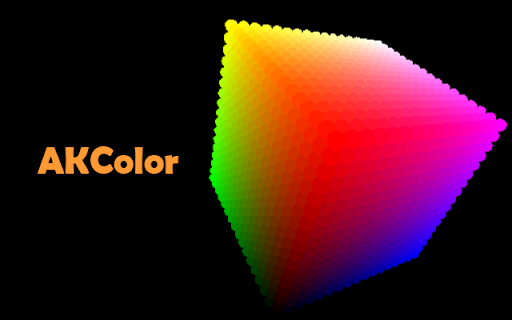

The first 3D color selection tool with integrated eye dropper.
Discover a new way to manipulate colors!
With its simple and fun interface, manipulate and use colors in a 3-dimensional environment.
Enjoy the logs to reuse your favorite colors.
You like a color on a website? So get it back with the integrated eye dropper in the extension!
Click ... and it's already copied!
You can also convert a value to the desired format with the color converter.
►► Features ◄◄
+ 3D color picker
+ Eyedropper to select a color on a webpage.
+ Gradient generator
+ Color converter
+ Click and paste. Automatic copy to the clipboard.
+ Reuse your colors with color history.
+ Keyboard shortcuts
+ Use the eyedropper directly with the right click (shortcuts in the context menu).
+ Lot of settings available for the eyedropper, color picker and interface.
+ 4 supported color formats (Hexadecimal, RGB, HSL and X11)
A very practical tool for every developer and every graphic designer!
Experience the AKColor!
►► Official website
akcolor.aklibrary.fr
►► Feedback & Bug report
[email protected]
| 分类 | 💻开发者工具 |
| 插件标识 | njhgppihgleonhgjanbjojnpgjkfmijo |
| 平台 | Chrome |
| 评分 |
☆☆☆☆☆
|
| 评分人数 | |
| 插件主页 | https://chromewebstore.google.com/detail/akcolor/njhgppihgleonhgjanbjojnpgjkfmijo |
| 版本号 | 8.3 |
| 大小 | 480KiB |
| 官网下载次数 | 4000 |
| 下载地址 | |
| 更新时间 | 2020-07-23 00:00:00 |
CRX扩展文件安装方法
第1步: 打开Chrome浏览器的扩展程序
第2步:
在地址栏输入: chrome://extensions/
第3步: 开启右上角的【开发者模式】
第4步: 重启Chrome浏览器 (重要操作)
第5步: 重新打开扩展程序管理界面
第6步: 将下载的crx文件直接拖入页面完成安装
注意:请确保使用最新版本的Chrome浏览器