
CF stalker Chrome 插件, crx 扩展下载
stalk profiles on code forces
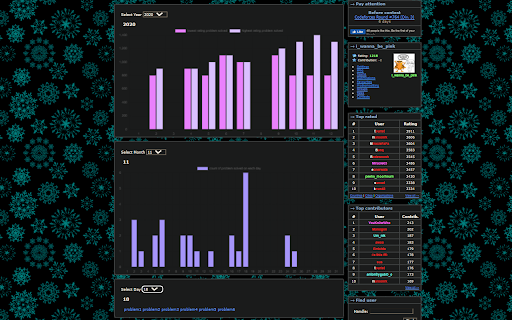
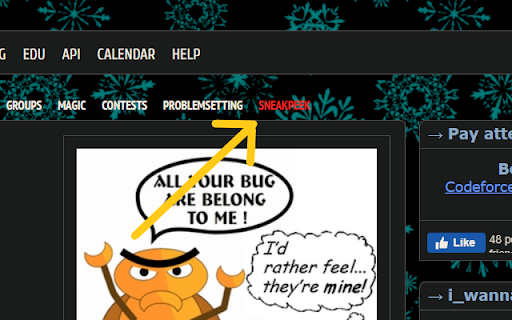
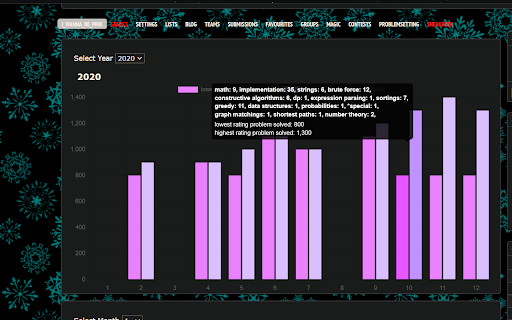
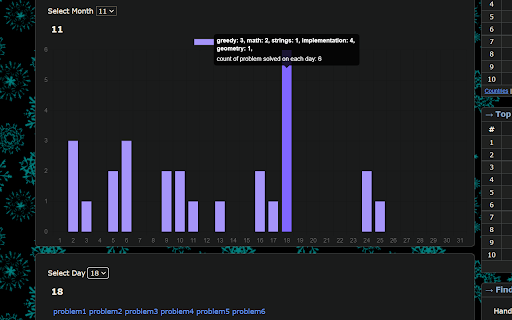
CF stalker chrome extension imporve the codeforces profile webpage to include statistics of problem solved by time by that user.User can select year in the first graph to see lowest and highest rating solved for month and by hovering over the bar it shows the tags and and count of no of problem solved with that tag. In the second graph user can select month for which he want to see the day wise chart , which tell no of problem solved on that day and there tags and user can select the day he wants to see what problem he solved on that day , if user has solved the same problem twice on that day it will be shown only once.
The extension communicates only with the Codeforces API and runs entirely on the browser.
| 分类 | 📝工作流程与规划 |
| 插件标识 | njjefmgmfomkdfkoiimnjbhckbjldihb |
| 平台 | Chrome |
| 评分 |
☆☆☆☆☆
|
| 评分人数 | |
| 插件主页 | https://chromewebstore.google.com/detail/cf-stalker/njjefmgmfomkdfkoiimnjbhckbjldihb |
| 版本号 | 0.1.2 |
| 大小 | 107KiB |
| 官网下载次数 | 1000 |
| 下载地址 | |
| 更新时间 | 2022-01-07 00:00:00 |
CRX扩展文件安装方法
第1步: 打开Chrome浏览器的扩展程序
第2步:
在地址栏输入: chrome://extensions/
第3步: 开启右上角的【开发者模式】
第4步: 重启Chrome浏览器 (重要操作)
第5步: 重新打开扩展程序管理界面
第6步: 将下载的crx文件直接拖入页面完成安装
注意:请确保使用最新版本的Chrome浏览器