
dict-cc Chrome 插件, crx 扩展下载
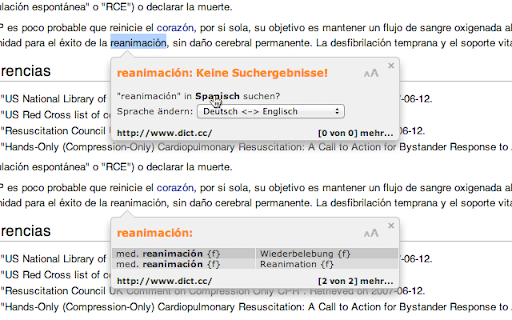
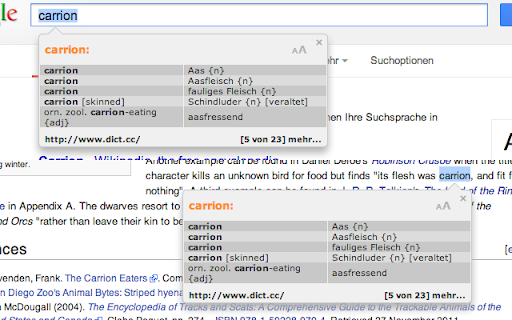
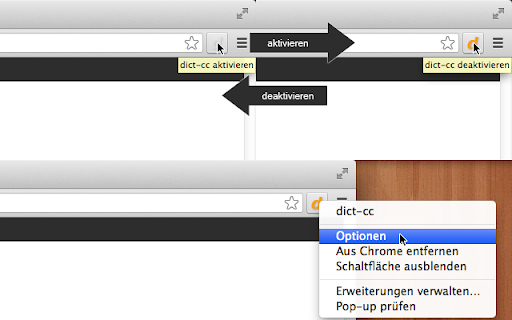
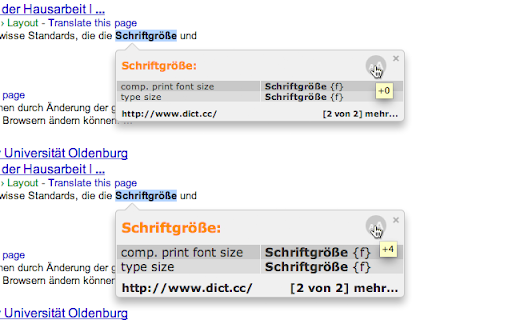
Übersetzt im Handumdrehen ein unbekanntes Wort einer Webseite!
Displays a pretty translation tooltip beneath a marked word of a page.
The translations originate from the nicely online dictionary dict.cc
Innovations release 1.6.89:
- Bugfix, text field selection
- Bugfix, tooltip position
Innovations release 1.6.88:
- The tooltip is now created new each time and will be removed
afterwards (This should fix the bug in outlook web access).
- There's a new option in the settings to invoke the tooltip from
the context menu.
Innovations release 1.6.87:
- Fixed some indication errors.
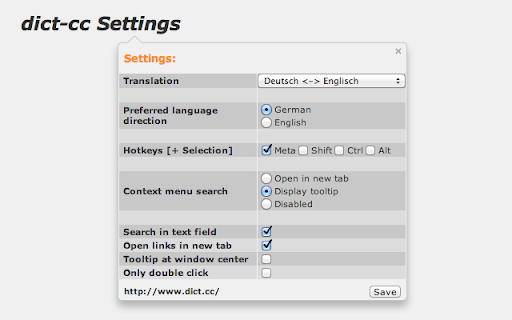
- New functions (adjustable in the options):
- Tooltip position always in the window center
- Selection only via double click (+ poss. Hotkeys)
Innovations release 1.6.86:
- Fixed some issues with CSS.
Innovations release 1.6.85:
- You can now increase the font size by clicking on the icon in the tooltip.
- There's an option in the settings to open all links in a new tab.
Innovations release 1.6.84:
- Fixed a problem with embedded css files in the current "Dev channel release".
Innovations release 1.6.83:
- Added 3 additional languages (Greek, Serbian and Finnish).
- You can now disable the search in text field feature in the options tab.
Innovations release 1.6.82:
- If the tooltip would exceed the right border, it will be built leftward.
- Selections in a textfield will be translated now.
Innovations release 1.6.81:
- Enable/ disable function of the extension is now saved and will be restored
on browser restart.
Innovations release 1.6.8:
- Added an options entry to enable or disable the context menu search.
| 分类 | ♿无障碍访问 |
| 插件标识 | nknonnojlmhnmjhpeokdbeineeajcemh |
| 平台 | Chrome |
| 评分 |
☆☆☆☆☆
|
| 评分人数 | |
| 插件主页 | https://chromewebstore.google.com/detail/dict-cc/nknonnojlmhnmjhpeokdbeineeajcemh |
| 版本号 | 2.19.1 |
| 大小 | 31.43KiB |
| 官网下载次数 | 10000 |
| 下载地址 | |
| 更新时间 | 2017-10-03 00:00:00 |
CRX扩展文件安装方法
第1步: 打开Chrome浏览器的扩展程序
第2步:
在地址栏输入: chrome://extensions/
第3步: 开启右上角的【开发者模式】
第4步: 重启Chrome浏览器 (重要操作)
第5步: 重新打开扩展程序管理界面
第6步: 将下载的crx文件直接拖入页面完成安装
注意:请确保使用最新版本的Chrome浏览器