
Your Python Editor (Beta) Chrome 插件, crx 扩展下载
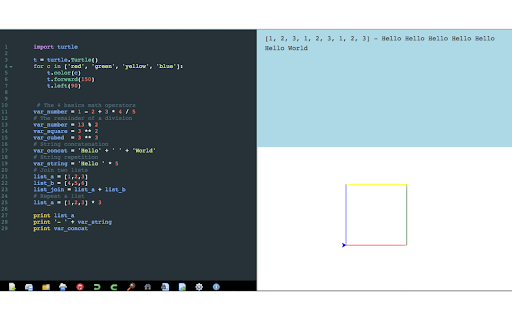
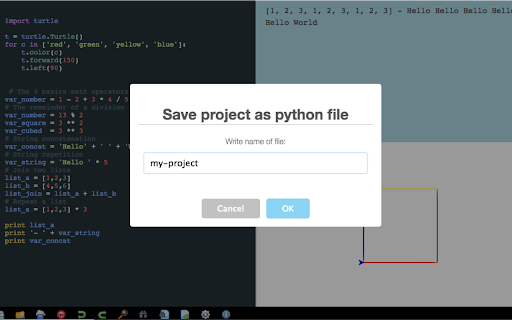
Offline Python Editor based on Skulpt, entirely client side with display result & code validation
Edit & run directly in this Chrome application your python project with this useful editor and code validator
=========
Release 0.13.0 - __bulitins__.classmethod.classmethod improved and some bugs fixed
Release 0.12.1 - Work on Python3, complex type is added, many many minor bug fixes....
Release 0.11.2 - Fixed loading of numpy library
Release 0.11.1 - Fixed bug about matplotlib
Release 0.11.0 - Now editor supporting partially pygal library
Release 0.10.5 - Updated python standard library and added button to go full screen graphic result
Release 0.10.2 - Added tooltips for buttons of toolbar
Release 0.10.2 - Added option full-screen for code editor
Release 0.10.1 - Removed some permissions from file manifest not required
=========
Main Features:
* Free!!
* Python syntax highlighting
* Edit, run and validate Python code
* Save code in your storage as Python application
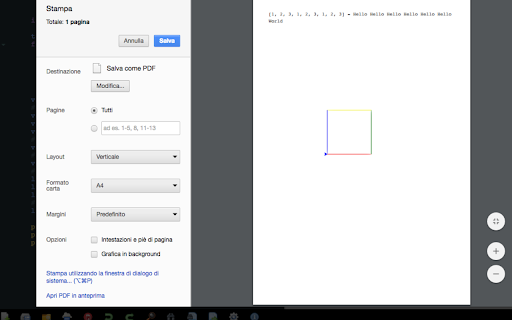
* Print result with useful preview
* Drag & Drop to open python and txt file. You can use button toolbar too
* Undo & Redo buttons
* Ctrl-Space to autocomplete the code
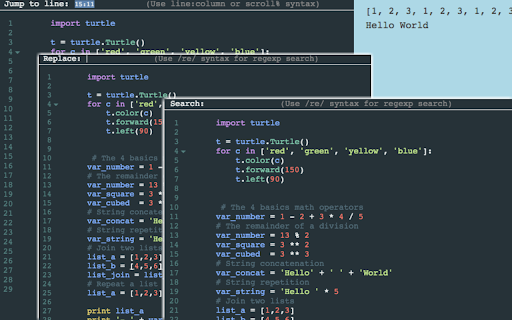
* Search/Replace string and jump to line (Using advanced functions with keyboard shortcuts)
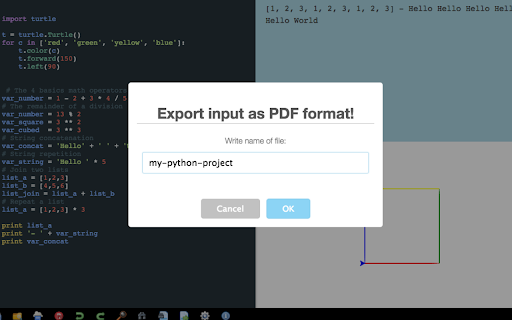
* Save Python code as pdf format
* Keyboard shortcuts to save project as Python application (CTRL-SHIFT-S for Windows - CMD-SHIFT-S for Mac)
* Keyboard shortcuts to save code as txt format (CTRL-S for Windows - CMD-S for Mac)
* Numpy, matplotlib libraries partially supported
Details about keyboard shortcuts:
* Ctrl-F / Cmd-F (Mac): Search
* Ctrl-G / Cmd-G (Mac): Search next
* Shift-Ctrl-G / Shift-Cmd-G (Mac): Search previous
* Shift-Ctrl-F / Cmd-Option-F (Mac): Search and Replace
* Shift-Ctrl-R / Shift-Cmd-Option-F (Mac): Replace All
* ALT-G: Jump to line
* Ctrl-Z and Ctrl-Y / Cmd-Z and Cmd-Y (Mac): Undo & Redo
Here is the list of libraries you can use:
- arduino;
- document;
- image;
- led matrix;
- math;
- matplotlib (partially supported);
- numpy (partially supported);
- operator;
- plot;
- processing;
- random;
- re;
- string;
- time;
- turtle;
- urlib;
- webgl;
- pygal (partially supported)
| 分类 | 💻开发者工具 |
| 插件标识 | nlbikhljcdblhipffkjekingckoolbpm |
| 平台 | Chrome |
| 评分 |
☆☆☆☆☆
|
| 评分人数 | |
| 插件主页 | https://chromewebstore.google.com/detail/your-python-editor-beta/nlbikhljcdblhipffkjekingckoolbpm |
| 版本号 | 8.3 |
| 大小 | 1.81MiB |
| 官网下载次数 | 1000 |
| 下载地址 | |
| 更新时间 | 2023-10-07 00:00:00 |
CRX扩展文件安装方法
第1步: 打开Chrome浏览器的扩展程序
第2步:
在地址栏输入: chrome://extensions/
第3步: 开启右上角的【开发者模式】
第4步: 重启Chrome浏览器 (重要操作)
第5步: 重新打开扩展程序管理界面
第6步: 将下载的crx文件直接拖入页面完成安装
注意:请确保使用最新版本的Chrome浏览器