
Quick Calendar Free Chrome 插件, crx 扩展下载
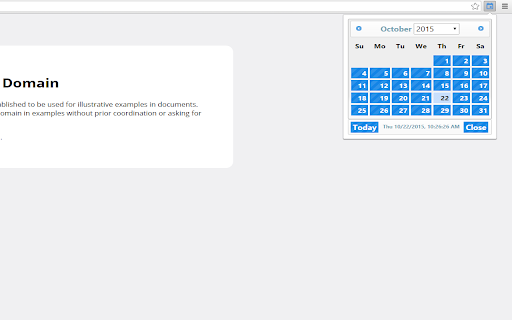
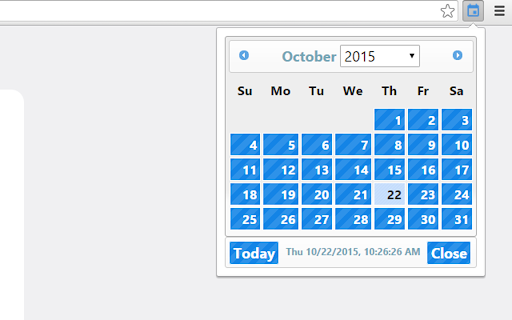
This extension quickly displays a small calendar.
Chrome OS users: Are you looking for a way to quickly display a calendar as you can in Windows and MacOS? Now you can!
Quickly display a small calendar in Google Chrome by clicking on the Quick Calendar extension icon. The current day will be highlighted, along with a display of the current time. Click on a specific day in Quick Calendar to bring up your Google Calendar agenda. Click on the month in Quick Calendar to bring up your Google Calendar for that month.
Changelog
v1.0.0 Initial test release
v1.1.0 Updated JavaScript Libraries
Updated Theme
New links to Google Calendar
v1.1.1 Fixed close button placement issue.
v1.1.2.1 Per user request, updated to simplified Material style icons.
| 分类 | 📝工作流程与规划 |
| 插件标识 | nmnehbfgpadbppbdlljpiibhiniehejd |
| 平台 | Chrome |
| 评分 |
☆☆☆☆☆
|
| 评分人数 | |
| 插件主页 | https://chromewebstore.google.com/detail/quick-calendar-free/nmnehbfgpadbppbdlljpiibhiniehejd |
| 版本号 | 1.1.2.1 |
| 大小 | 201KiB |
| 官网下载次数 | 761 |
| 下载地址 | |
| 更新时间 | 2015-10-23 00:00:00 |
CRX扩展文件安装方法
第1步: 打开Chrome浏览器的扩展程序
第2步:
在地址栏输入: chrome://extensions/
第3步: 开启右上角的【开发者模式】
第4步: 重启Chrome浏览器 (重要操作)
第5步: 重新打开扩展程序管理界面
第6步: 将下载的crx文件直接拖入页面完成安装
注意:请确保使用最新版本的Chrome浏览器