
QSearch Chrome 插件, crx 扩展下载
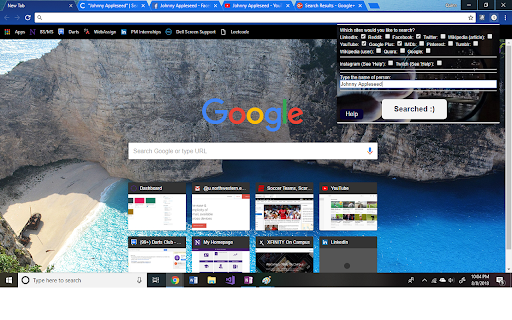
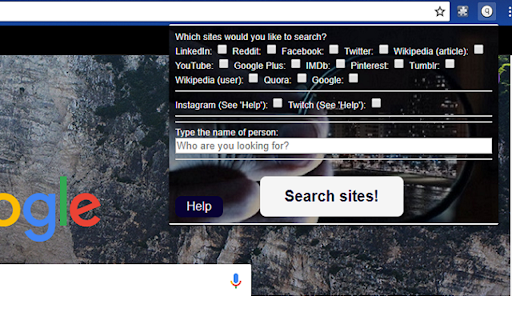
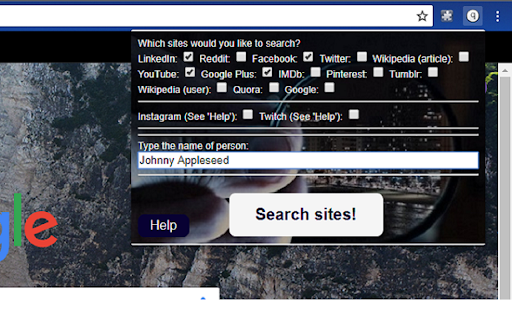
Search from a multitude of social media platforms and websites at once from any tab!
Have you ever met someone new, heard that your friend has a new crush that you've never met, wanted to see which social media platforms your friends are on, or want to find celebrity accounts on social media??
If so, QSearch will allow you to search the top 15 most-used social media/websites at once so that your searching becomes much easier! Instead of manually searching a name over a dozen times, use this extension to do the same once on any tab.
Note: If there are any social media platforms/websites you'd like me to include, leave a rating with your suggestion and I will update the extension!
Notice: This extension works within the capabilities and legalities of Google Chrome. Thus, searching is not smooth on sites such as Instagram due to their lack of a search page.
| 分类 | 🛠️工具 |
| 插件标识 | nndbofegbeaookkpodpkaeaelndpljbl |
| 平台 | Chrome |
| 评分 |
☆☆☆☆☆
|
| 评分人数 | |
| 插件主页 | https://chromewebstore.google.com/detail/qsearch/nndbofegbeaookkpodpkaeaelndpljbl |
| 版本号 | 1.6 |
| 大小 | 47.98KiB |
| 官网下载次数 | 195 |
| 下载地址 | |
| 更新时间 | 2018-08-11 00:00:00 |
CRX扩展文件安装方法
第1步: 打开Chrome浏览器的扩展程序
第2步:
在地址栏输入: chrome://extensions/
第3步: 开启右上角的【开发者模式】
第4步: 重启Chrome浏览器 (重要操作)
第5步: 重新打开扩展程序管理界面
第6步: 将下载的crx文件直接拖入页面完成安装
注意:请确保使用最新版本的Chrome浏览器