
PubGuru Ad Inspector Chrome 插件, crx 扩展下载

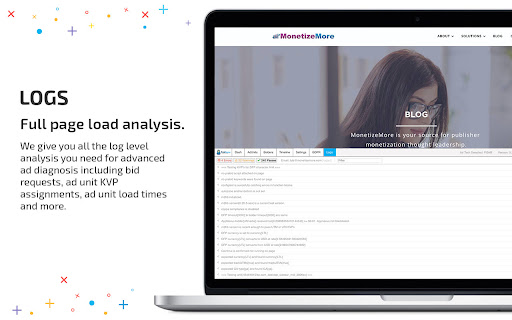


Troubleshoot your ad tags and scale your revenue.
Looking for a replacement for Google Publisher Console?
Boy have we got the solution for you!
With PubGuru Ad Inspector you can quickly analyze any website’s advertising setup and gain a complete understanding of the page load performance across all of your ad partners.
Diagnose the many different kinds of page load, timeout and configuration issues you’re running into across your advertising partners, ad server and header bidding adapters.
Dashboard
Full desktop and mobile page analysis to visualize the page load process, isolate your ad units and provide actionable advice on your advertising technology setup.
Notifications
Real-time notifications to give you a specific analysis of your advertising setup categorized into actionable advice on errors, warnings and passes.
Header Bidding
Get a comprehensive on-page visualization of your header bidding auction and diagnose issues you’re running into with your demand partners like timeouts, empty responses and misconfigurations.
Google Ad Manager
Get a real-time view of any significant errors or warnings coming from specific pages of your Google Ad Manager setup.
Help us keep PubGuru Ad Inspector working for your advertising technology needs. If you run into issues or have any feedback please email us at [email protected]
---
By installing the app, you agree to these terms and conditions: https://www.monetizemore.com/terms-of-service/
Privacy policy: https://www.monetizemore.com/privacy-policy/
| 分类 | 📝工作流程与规划 |
| 插件标识 | nnoilpdinmjmdfpkdkbbkajejflbkoma |
| 平台 | Chrome |
| 评分 |
☆☆☆☆☆
|
| 评分人数 | |
| 插件主页 | https://chromewebstore.google.com/detail/pubguru-ad-inspector/nnoilpdinmjmdfpkdkbbkajejflbkoma |
| 版本号 | 25.2.3.0 |
| 大小 | 84.34KiB |
| 官网下载次数 | 2000 |
| 下载地址 | |
| 更新时间 | 2021-07-04 00:00:00 |
CRX扩展文件安装方法
第1步: 打开Chrome浏览器的扩展程序
第2步:
在地址栏输入: chrome://extensions/
第3步: 开启右上角的【开发者模式】
第4步: 重启Chrome浏览器 (重要操作)
第5步: 重新打开扩展程序管理界面
第6步: 将下载的crx文件直接拖入页面完成安装
注意:请确保使用最新版本的Chrome浏览器