
Extended Browse for Netflix Chrome 插件, crx 扩展下载
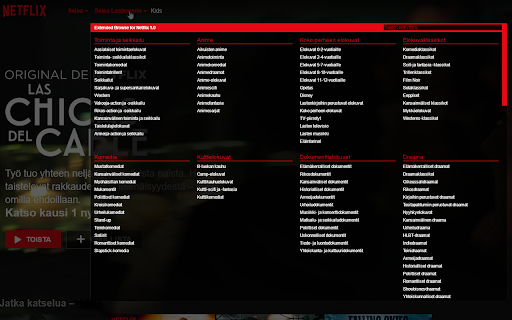
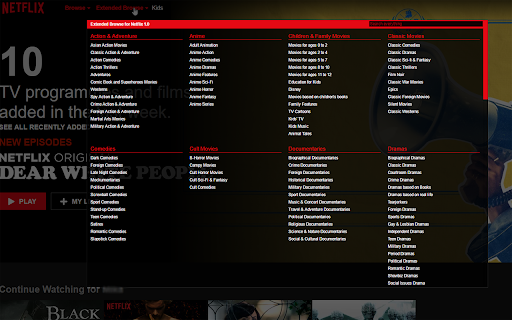
Show Netflix hidden sub-categories.
*************************************
Updated with German Translations.
*************************************
This is a Chrome extension to display better browsing with a hidden categories of a Netflix. These categories isn't available with normal Netflix UI.
Main hidden categories is available from EBN's main dialog box.
There are many more hidden categories available with a included search feature. Like a "Action & Adventure starring Bruce Lee".
Multilanguage support. Translators can help to support more languages.
CHANGELOG:
* 2020/10/03 -- v.1.1.1 Updated German Translations thanks to dotFionn (https://github.com/dotFionn) and updated language code for new Netflix layout.
* 2018/04/03 -- v.1.1.0 Updated to work with Netflix's new layout. No more red extended browse button, but white and it's located in the end of navigation bar.
Language support:
English, Finnish.
If you want your language being supported, please see my project website on Github. https://github.com/Locheed/eb-for-netflix
| 分类 | 🎉趣味休闲 |
| 插件标识 | oajemdopahhgfbnikcogidfnaaeglfhn |
| 平台 | Chrome |
| 评分 |
☆☆☆☆☆
|
| 评分人数 | |
| 插件主页 | https://chromewebstore.google.com/detail/extended-browse-for-netfl/oajemdopahhgfbnikcogidfnaaeglfhn |
| 版本号 | 3.0.0.18 |
| 大小 | 406KiB |
| 官网下载次数 | 970 |
| 下载地址 | |
| 更新时间 | 2020-10-03 00:00:00 |
CRX扩展文件安装方法
第1步: 打开Chrome浏览器的扩展程序
第2步:
在地址栏输入: chrome://extensions/
第3步: 开启右上角的【开发者模式】
第4步: 重启Chrome浏览器 (重要操作)
第5步: 重新打开扩展程序管理界面
第6步: 将下载的crx文件直接拖入页面完成安装
注意:请确保使用最新版本的Chrome浏览器