
CrossBrowserTesting GO Chrome 插件, crx 扩展下载

Instantly test any site on over a thousand platforms offered at CrossBrowserTesting.com
To Start:
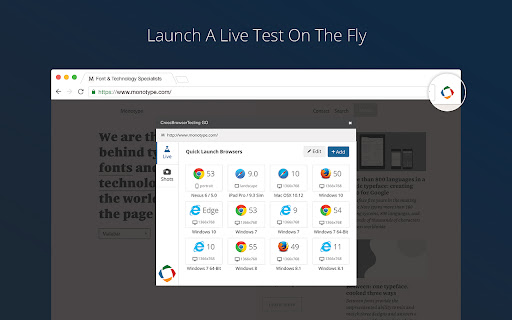
Click the CBT Extension
For Live Testing:
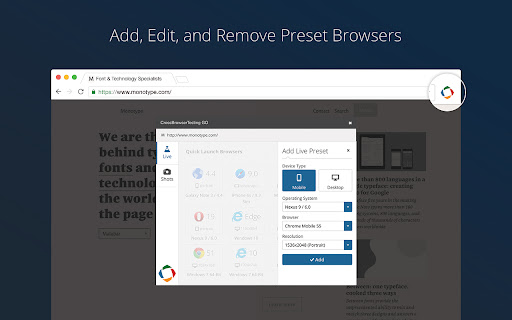
Select your browser/OS combination
Click Add to add a different configuration to the quick launch list
For Screenshot
Select a list of browsers from the drop down list.
Click “Run Screenshots”
CrossBrowserTesting Features:
-1500+ Browsers
-Real iOS and Android Devices
-Manual Testing and Session Recording
-Automated Screenshots
-Visual Comparisons
-Selenium Testing
-Integrations with Jenkins, TeamCity, WebDriver.IO, and more.
-Local Testing Behind Firewalls
To learn more, visit:
https://crossbrowsertesting.com
| 分类 | 💻开发者工具 |
| 插件标识 | oapindodkkndonmflelpddkehnocnenh |
| 平台 | Chrome |
| 评分 |
☆☆☆☆☆
|
| 评分人数 | |
| 插件主页 | https://chromewebstore.google.com/detail/crossbrowsertesting-go/oapindodkkndonmflelpddkehnocnenh |
| 版本号 | 8.3 |
| 大小 | 40.69KiB |
| 官网下载次数 | 2000 |
| 下载地址 | |
| 更新时间 | 2019-08-20 00:00:00 |
CRX扩展文件安装方法
第1步: 打开Chrome浏览器的扩展程序
第2步:
在地址栏输入: chrome://extensions/
第3步: 开启右上角的【开发者模式】
第4步: 重启Chrome浏览器 (重要操作)
第5步: 重新打开扩展程序管理界面
第6步: 将下载的crx文件直接拖入页面完成安装
注意:请确保使用最新版本的Chrome浏览器