
Jupyter Notebook Viewer Chrome 插件, crx 扩展下载

Jupyter Notebook Viewer
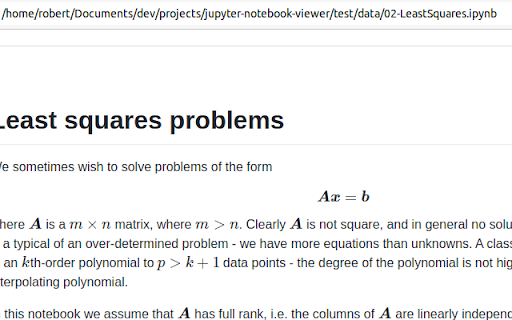
The extension that could renders local jupyter file (*.ipynb).
Renders local and remote URLs
✔ Granular access to remote origins
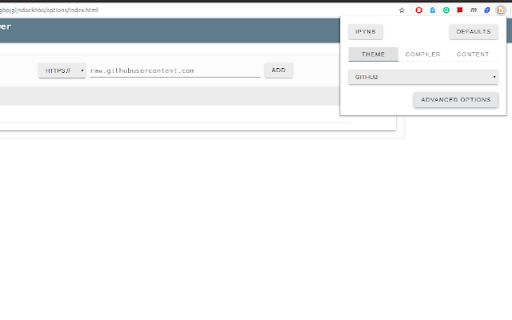
✔ Full control over the compiler options
✔ Themes
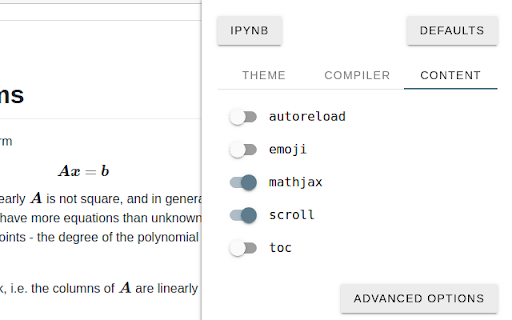
✔ Auto reload on file change
✔ Syntax highlighted code blocks
✔ Table of Contents (TOC)
✔ MathJax support
how to install: https://www.youtube.com/watch?v=izGeP2wyOIk
demonstration: https://www.youtube.com/watch?v=x0nYGZDbEoY
| 分类 | 📝工作流程与规划 |
| 插件标识 | ocabfdicbcamoonfhalkdojedklfcjmf |
| 平台 | Chrome |
| 评分 |
☆☆☆☆☆
|
| 评分人数 | |
| 插件主页 | https://chromewebstore.google.com/detail/jupyter-notebook-viewer/ocabfdicbcamoonfhalkdojedklfcjmf |
| 版本号 | 25.2.3.0 |
| 大小 | 1.74MiB |
| 官网下载次数 | 10000 |
| 下载地址 | |
| 更新时间 | 2022-05-01 00:00:00 |
CRX扩展文件安装方法
第1步: 打开Chrome浏览器的扩展程序
第2步:
在地址栏输入: chrome://extensions/
第3步: 开启右上角的【开发者模式】
第4步: 重启Chrome浏览器 (重要操作)
第5步: 重新打开扩展程序管理界面
第6步: 将下载的crx文件直接拖入页面完成安装
注意:请确保使用最新版本的Chrome浏览器