
Too Tabs Manager Chrome 插件, crx 扩展下载
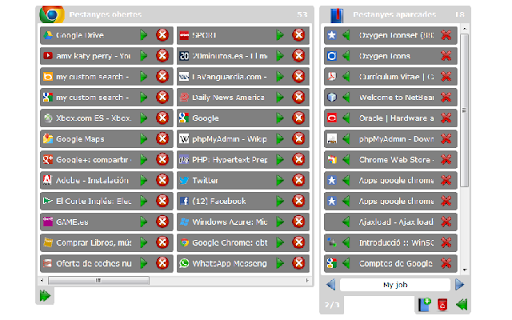

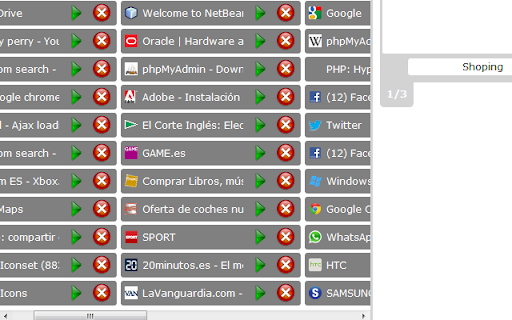
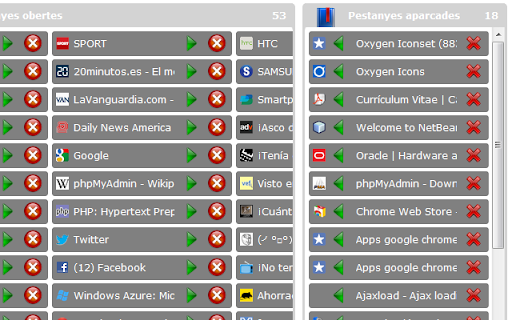
Too Tabs Manager allows you to group and shelve your non used tabs
Are you used to browse internet using dozens of tabs at the same time?
Are there some tabs that you don't need at this moment but you need to keep them for later?
Can't you see the icons of your tabs because your window is too crowded of tabs?
Here is the solution!
Shelve your unused tabs for another moment and focus only in the ones you are using is easy with Too Tabs Manager.
Create folders to shelve your tabs.
Dump all your current tabs in (or choose some of them) and start browsing again in an empty environment.
Restoring your whole folder of shelved tabs is as easier as 1-click.
A simple click allows you to recover all your previous tabs again (or choose some of them).
Try it, it's free.
| 分类 | 📝工作流程与规划 |
| 插件标识 | odaphbmjbeecgjcakjjlhkiigpnfkflb |
| 平台 | Chrome |
| 评分 |
☆☆☆☆☆
|
| 评分人数 | |
| 插件主页 | https://chromewebstore.google.com/detail/too-tabs-manager/odaphbmjbeecgjcakjjlhkiigpnfkflb |
| 版本号 | 7.0.1 |
| 大小 | 155KiB |
| 官网下载次数 | 368 |
| 下载地址 | |
| 更新时间 | 2012-09-18 00:00:00 |
CRX扩展文件安装方法
第1步: 打开Chrome浏览器的扩展程序
第2步:
在地址栏输入: chrome://extensions/
第3步: 开启右上角的【开发者模式】
第4步: 重启Chrome浏览器 (重要操作)
第5步: 重新打开扩展程序管理界面
第6步: 将下载的crx文件直接拖入页面完成安装
注意:请确保使用最新版本的Chrome浏览器