
easyCalc Chrome 插件, crx 扩展下载
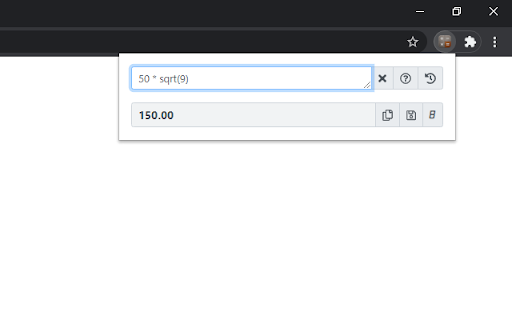

A simple and easy calculator with calculation history for quick calculations.
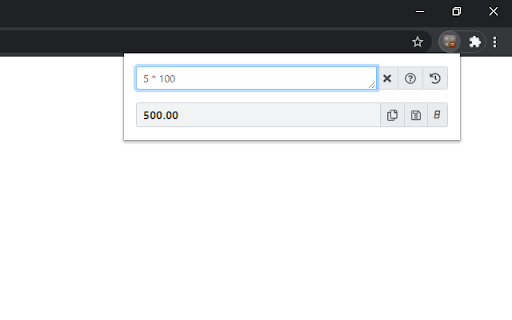
An easy-to-use calculator with calculation history for your daily calculations. This extension is designed to reduce the clicks for any desired calculations so that the result can be reached quickly.
Features:
1. Support for mathematical operations with simple scientific functions; shows result as and when the data is entered.
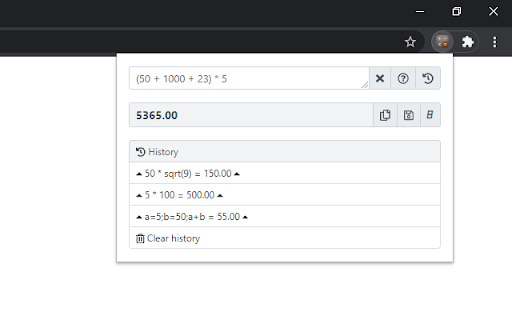
2. Maintains up to 10 historical calculations (also referred as memory) so that the expressions and/or results can be reused for the current calculation.
3. Remembers the last used expression, for reuse.
4. One-click copying of the calculated result.
5. In-page help.
6. Ability to click and pick mathematical functions for use in expressions.
7. Assign shortcut for the calculator, so that it opens for your instant use.
Supported expressions (Examples):
a=25; b=50; a+b
a=25; b=90; sqrt(a) + sin(b)
Additional to basic mathematical operations, below functions are also supported:
abs(x) - absolute
acos(x) - arccosine
asin(x) - arcsine
atan(x) - arctangent
atan2(y,x) - arctangent
ceil(x) - Rounded updwards
cos(x) - cosine
exp(x) - Exponential
floor(x) - Rounded downwards
log(x) - Natural log
max(x,y,z,...,n) - Highest number
min(x,y,z,...,n) - Lowest number
pow(x,y) - x to the power of y
random() - number between 0 and 1
round(x) - nearest integer
sin(x) - sine
sqrt(x) - square root
tan(x) - tangent
PI - Pi (approx. 3.14159)
Know more, watch how-to videos and provide feedback at http://easycalc.sksapps.org/
Facebook: https://www.facebook.com/calculator.for.chrome
| 分类 | 📝工作流程与规划 |
| 插件标识 | odhjfldkefanhaflcloghbcpapedfblh |
| 平台 | Chrome |
| 评分 |
☆☆☆☆☆
|
| 评分人数 | |
| 插件主页 | https://chromewebstore.google.com/detail/easycalc/odhjfldkefanhaflcloghbcpapedfblh |
| 版本号 | 1.0.25 |
| 大小 | 676KiB |
| 官网下载次数 | 693 |
| 下载地址 | |
| 更新时间 | 2021-02-05 00:00:00 |
CRX扩展文件安装方法
第1步: 打开Chrome浏览器的扩展程序
第2步:
在地址栏输入: chrome://extensions/
第3步: 开启右上角的【开发者模式】
第4步: 重启Chrome浏览器 (重要操作)
第5步: 重新打开扩展程序管理界面
第6步: 将下载的crx文件直接拖入页面完成安装
注意:请确保使用最新版本的Chrome浏览器