
Advanced Embedder for YouTube Chrome 插件, crx 扩展下载
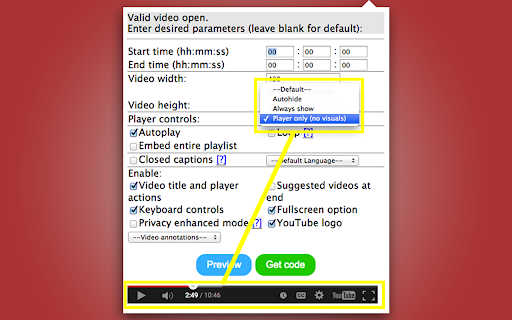
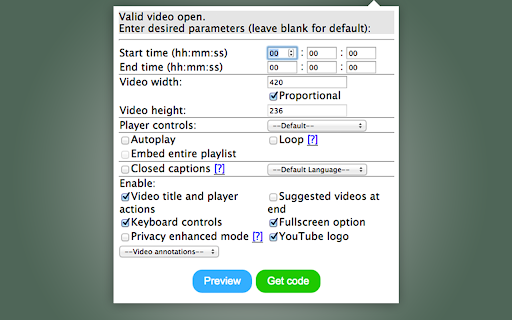
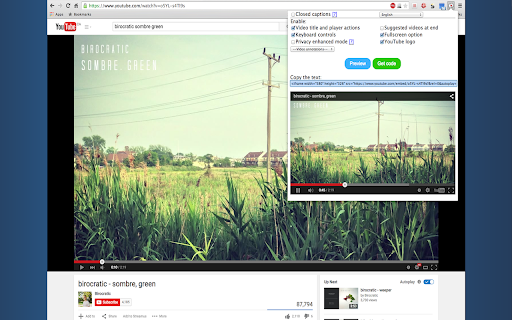
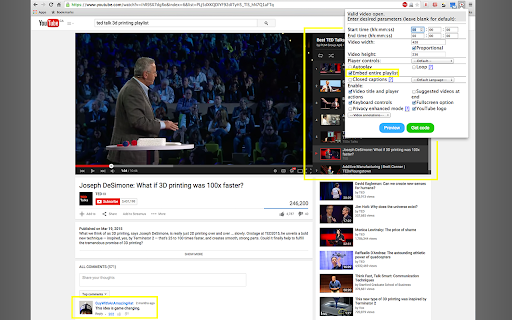
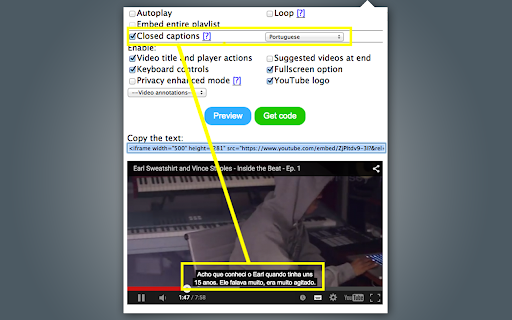
A simple tool to get <iframe> embed codes for YouTube videos with easily customized, advanced settings.
Want to embed a YouTube video with custom settings? Advanced Embedder for YouTube is an easy-to-use, comprehensive solution.
Advanced Embedder provides <iframe> embed codes with an array of player options not offered by YouTube's embed tool (no API research or coding required!). It's as easy as browsing to a YouTube video, and opening the extension: with one click, you can get an embed code to paste into your html file or web forum.
Notable features include:
- Wide variety of settings, including loop and autoplay
- View a preview right in the extension window
- Closed captions (subtitles) option with language choice
- Player only (no visuals) option
- Functionality as extension speeds up embed process compared to other online tools
Advanced Embedder for YouTube is scientifically proven to lower stress levels! Try it today: always free, and no ads.
Thank you to Yazmin Alanis from the Noun Project for the black and white pillow icon used in logo.
| 分类 | 📝工作流程与规划 |
| 插件标识 | odifiogjabgjhgkodimeiikghfgpfaoh |
| 平台 | Chrome |
| 评分 |
☆☆☆☆☆
|
| 评分人数 | |
| 插件主页 | https://chromewebstore.google.com/detail/advanced-embedder-for-you/odifiogjabgjhgkodimeiikghfgpfaoh |
| 版本号 | 1.641 |
| 大小 | 20.02KiB |
| 官网下载次数 | 588 |
| 下载地址 | |
| 更新时间 | 2015-08-25 00:00:00 |
CRX扩展文件安装方法
第1步: 打开Chrome浏览器的扩展程序
第2步:
在地址栏输入: chrome://extensions/
第3步: 开启右上角的【开发者模式】
第4步: 重启Chrome浏览器 (重要操作)
第5步: 重新打开扩展程序管理界面
第6步: 将下载的crx文件直接拖入页面完成安装
注意:请确保使用最新版本的Chrome浏览器