
JaSON Chrome 插件, crx 扩展下载
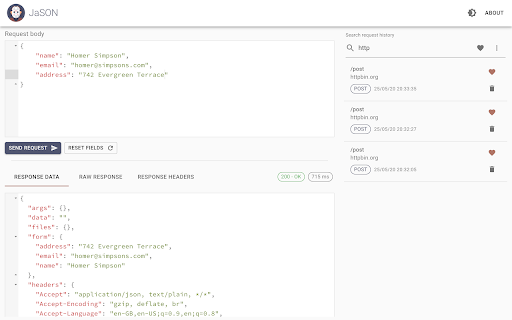
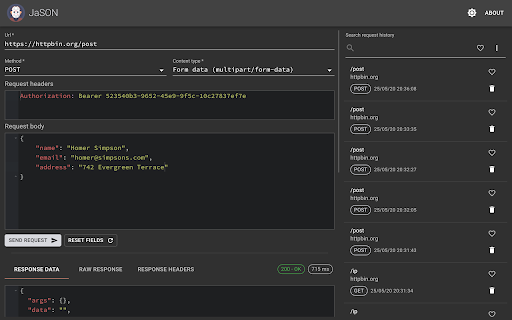
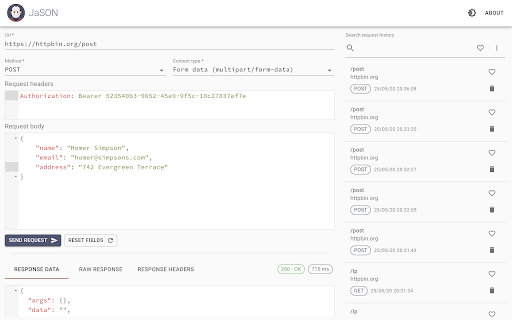
A simple, easy to use HTTP client to send API requests from within Chrome and see formatted, syntax highlighted responses.
Great for testing and debugging JSON and XML APIs, RESTful APIs, GraphQL APIs, web services, web applications and more.
Cookie support:
Automatically sends cookies from Chrome. This is extremely handy for APIs which require authentication. Simply authenticate via your browser as normal and JaSON will send cookies for requests which match.
HTTP methods:
GET, POST, PUT, PATCH, DELETE, HEAD, and OPTIONS
Dark/light theme:
Change the colour theme to suit your work environment.
Request history:
Keeps request history with full text search. Individual history items can be deleted, or marked as a "favourite" for easy access. History from previous versions of JaSON will be automatically migrated. Stores history in IndexedDB for improved performance.
Formatted input/output:
Provides an IDE like experience when editing request body and headers. Automatically formats request/response body syntax and colour based on content type.
Content type:
Supports JSON, XML, and form encoded data by default. Additional content types can be used by setting a custom content type header.
New and improved:
Completely re-written, new styling, layout, colours, additional features and improved performance.
100% open source
Source code is available from GitHub.
Privacy policy
https://github.com/shanebell/JaSON/blob/master/privacy-policy.md
| 分类 | 💻开发者工具 |
| 插件标识 | oealdlhfjifhgbmjnenhkgffglaibojf |
| 平台 | Chrome |
| 评分 |
☆☆☆☆☆
|
| 评分人数 | |
| 插件主页 | https://chromewebstore.google.com/detail/jason/oealdlhfjifhgbmjnenhkgffglaibojf |
| 版本号 | 8.3 |
| 大小 | 1.8MiB |
| 官网下载次数 | 7000 |
| 下载地址 | |
| 更新时间 | 2021-04-23 00:00:00 |
CRX扩展文件安装方法
第1步: 打开Chrome浏览器的扩展程序
第2步:
在地址栏输入: chrome://extensions/
第3步: 开启右上角的【开发者模式】
第4步: 重启Chrome浏览器 (重要操作)
第5步: 重新打开扩展程序管理界面
第6步: 将下载的crx文件直接拖入页面完成安装
注意:请确保使用最新版本的Chrome浏览器