
CRM Science - Admin Assistant Chrome 插件, crx 扩展下载
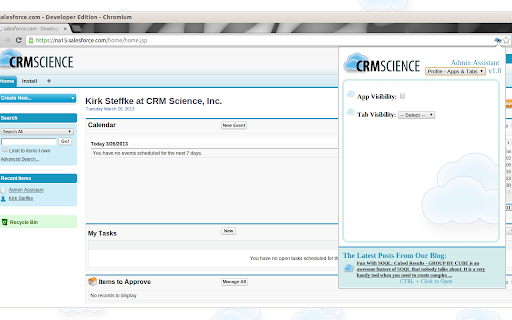
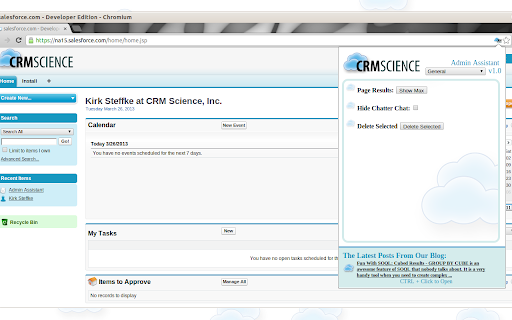
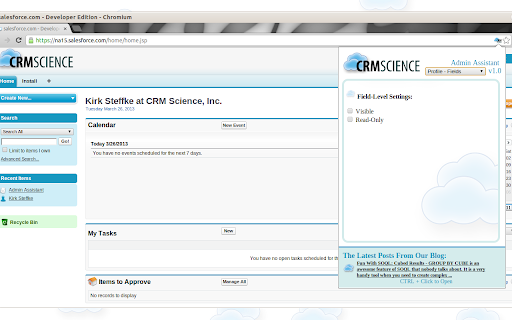
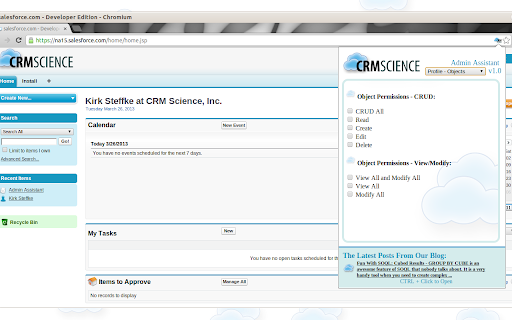
Various tools to help SFDC admins work more efficiently!
Experienced Chrome Extension users should use the direct link below to install the extension while those without experience may benefit from the additional extension installation and usage instructions in this package.
Save Time Creating and Modifying Profiles
Quick Mass Deletes!
Reduce Clicks Elsewhere in Salesforce.com
Here's a subset of the features included in v1.0:
Mass Delete: On List Views, you often have a series of records with checkboxes next to them. Natively, there is no "Delete" option that will wipe out the selected records with one click. This feature will delete any of the selected records.
Show Max Results: Show Max - on pages that list schema components like workflow rules, actions, and email templates, there is often a "Show More" link. This feature displays a maximum number of the possible results on one page with one click.
Chatter Chat: If Chatter is enabled in your org, a floating "Chat Window" appears in the bottom right hand corner of your screen. This can be turned on or off.
Various Profile Settings: At the field level, check or uncheck all of the "Visible" or "Read-Only" boxes. At the Object level, check or uncheck all of the CRUD/View All/Modify All boxes. For Tabs, quickly display or hide all tabs.
| 分类 | 📝工作流程与规划 |
| 插件标识 | oeinfjphgdddcbnhdalmaboomliefgph |
| 平台 | Chrome |
| 评分 |
☆☆☆☆☆
|
| 评分人数 | |
| 插件主页 | https://chromewebstore.google.com/detail/crm-science-admin-assista/oeinfjphgdddcbnhdalmaboomliefgph |
| 版本号 | 25.2.3.0 |
| 大小 | 624KiB |
| 官网下载次数 | 505 |
| 下载地址 | |
| 更新时间 | 2017-03-24 00:00:00 |
CRX扩展文件安装方法
第1步: 打开Chrome浏览器的扩展程序
第2步:
在地址栏输入: chrome://extensions/
第3步: 开启右上角的【开发者模式】
第4步: 重启Chrome浏览器 (重要操作)
第5步: 重新打开扩展程序管理界面
第6步: 将下载的crx文件直接拖入页面完成安装
注意:请确保使用最新版本的Chrome浏览器