
Browser Stealth Mode Chrome 插件, crx 扩展下载
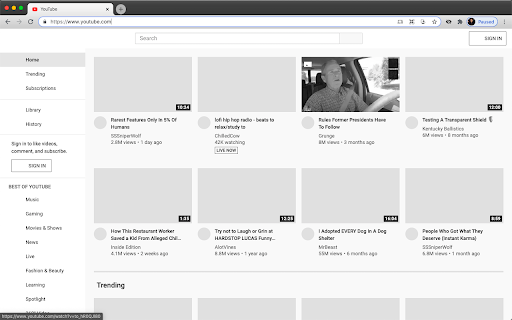


Disguise your internet browsing activities.
Browser Stealth Mode lets you browse and watch anything without worrying about who's looking over your shoulder.
- Click the "eye" browser icon to toggle stealth mode on or off in your current tab.
- Use keyboard shortcut (CMD+SHIFT+S on Mac, CTRL+SHIFT+S otherwise) to toggle stealth mode on or off.
- Right-click on "eye" browser icon or a website to add the domain or page to a list of websites that Browser Stealth Mode is auto-enabled on.
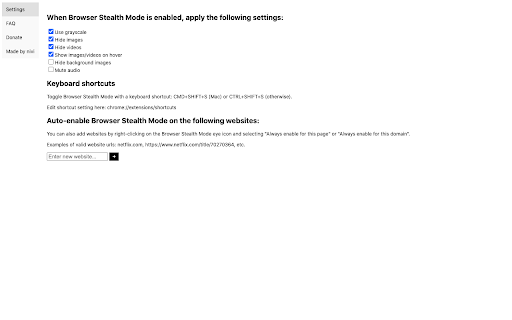
Setting options include:
- enable grayscale
- hide images
- hide videos
- show images/videos on hover
- hide background images
- and mute tab
If you'd like to support me, please donate here: https://ko-fi.com/nivivive
| 分类 | 📝工作流程与规划 |
| 插件标识 | offphobpedohkenckinejacpjodchgmn |
| 平台 | Chrome |
| 评分 |
☆☆☆☆☆
|
| 评分人数 | |
| 插件主页 | https://chromewebstore.google.com/detail/browser-stealth-mode/offphobpedohkenckinejacpjodchgmn |
| 版本号 | 1.3.3 |
| 大小 | 16.26KiB |
| 官网下载次数 | 902 |
| 下载地址 | |
| 更新时间 | 2021-03-11 00:00:00 |
CRX扩展文件安装方法
第1步: 打开Chrome浏览器的扩展程序
第2步:
在地址栏输入: chrome://extensions/
第3步: 开启右上角的【开发者模式】
第4步: 重启Chrome浏览器 (重要操作)
第5步: 重新打开扩展程序管理界面
第6步: 将下载的crx文件直接拖入页面完成安装
注意:请确保使用最新版本的Chrome浏览器