
Live On Chrome 插件, crx 扩展下载
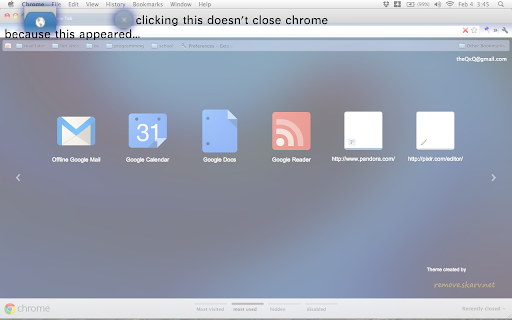
keeps chrome from closing when the last tab is closed by creating a pinned tab when there is one tab left.
keep you from accidentally closing chrome from closing the last tab. this extension auto adds a pinned tab when you are on you last tab. as soon as you open a new tab, the pinned tab closes.
this extension was made using "keep last two tabs" code. if you don't like the way this extension works or you want some settings that you can set, try "keep last two tabs".
also note that this extensions is unlikely to be updated anymore, but they are open source, so if you really want a feature, you can go ahead and add it. it is also under the mit license, so feel free to fork the code and use it any way you want.
created by Evacle ([email protected]). please comment if you found any glitches or if you have some ideas you want to see in this extension.
| 分类 | 📝工作流程与规划 |
| 插件标识 | oficfgdfeoknbjfhommlpiekdapmnebh |
| 平台 | Chrome |
| 评分 |
☆☆☆☆☆
|
| 评分人数 | |
| 插件主页 | https://chromewebstore.google.com/detail/live-on/oficfgdfeoknbjfhommlpiekdapmnebh |
| 版本号 | 0.3 |
| 大小 | 26.5KiB |
| 官网下载次数 | 30000 |
| 下载地址 | |
| 更新时间 | 2013-09-07 00:00:00 |
CRX扩展文件安装方法
第1步: 打开Chrome浏览器的扩展程序
第2步:
在地址栏输入: chrome://extensions/
第3步: 开启右上角的【开发者模式】
第4步: 重启Chrome浏览器 (重要操作)
第5步: 重新打开扩展程序管理界面
第6步: 将下载的crx文件直接拖入页面完成安装
注意:请确保使用最新版本的Chrome浏览器