
Clerkent - quick legal search Chrome 插件, crx 扩展下载
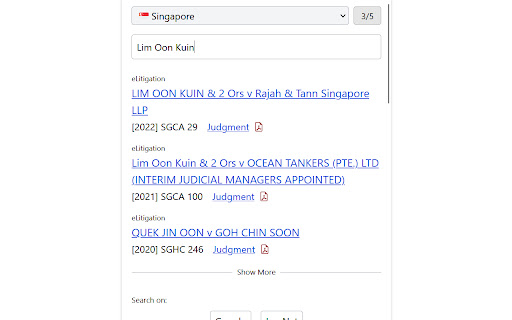
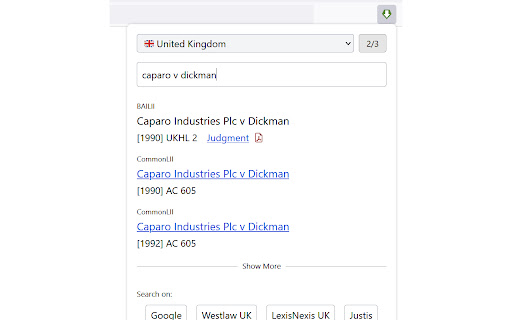
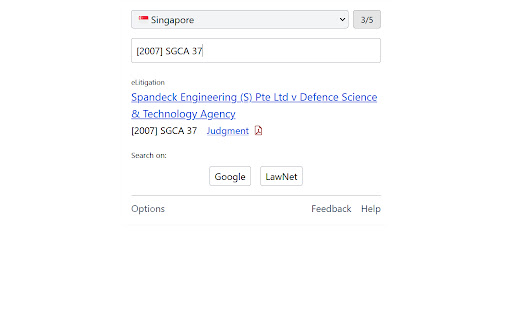
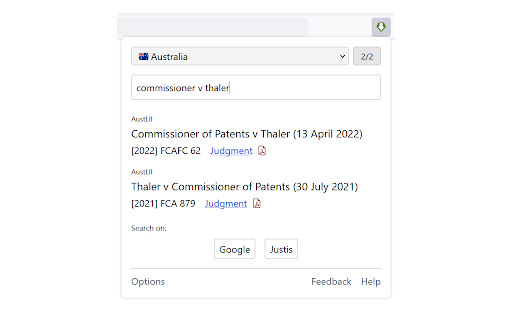
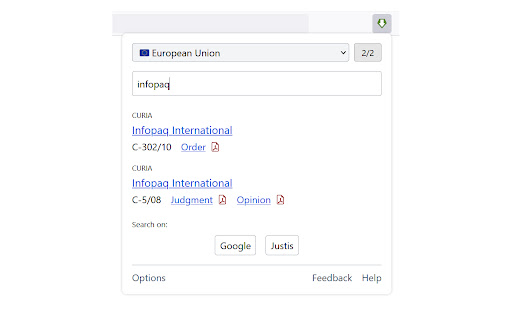
quick search for case law
- Convenient case law search engine located in your browser toolbar
- Highlights and hyperlinks case citations on webpages so they are just one click away
- Search for judgments by case name and case citation
- Automatically rename downloaded PDFs to follow the standard <case name> <case citation>.pdf naming system
- Renames PDFs downloaded from Singapore Statutes Online (https://sso.agc.gov.sg) to avoid truncation of file name
Support for the following jurisdictions:
- United Kingdom
- Hong Kong
- Australia
- Canada
- Singapore
- Court of Justice of the European Union (CJEU)
- European Court of Human Rights (ECHR / ECtHR)
- and more
Searches the following databases (amongst others): BAILII, AustLII, CanLII, NZLII, HKLII, National Archives Find Case Law, etc.
Open access to case law without having to use proprietary databases such as LawNet, WestLaw, or LexisNexis.
See https://clerkent.huey.xyz for more details, and for the source code
| 分类 | 🛠️工具 |
| 插件标识 | ogjefnociaddjemkkajgmfpmhmpokmhj |
| 平台 | Chrome |
| 评分 |
☆☆☆☆☆
|
| 评分人数 | |
| 插件主页 | https://chromewebstore.google.com/detail/clerkent-quick-legal-sear/ogjefnociaddjemkkajgmfpmhmpokmhj |
| 版本号 | 1.0.0.47 |
| 大小 | 3.69MiB |
| 官网下载次数 | 210 |
| 下载地址 | |
| 更新时间 | 2024-07-06 00:00:00 |
CRX扩展文件安装方法
第1步: 打开Chrome浏览器的扩展程序
第2步:
在地址栏输入: chrome://extensions/
第3步: 开启右上角的【开发者模式】
第4步: 重启Chrome浏览器 (重要操作)
第5步: 重新打开扩展程序管理界面
第6步: 将下载的crx文件直接拖入页面完成安装
注意:请确保使用最新版本的Chrome浏览器