
Lorem ipsum generator (using keyboard only) Chrome 插件, crx 扩展下载
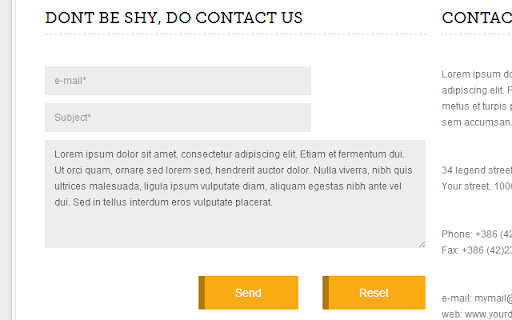
Generates lorem ipsum text. Usage: lorem[number of words];
I have tried a couple of Lorem Ipsum generators for Chrome, but always ended up uninstalling them, as they required quite a few mouse click to get the job done.
Till now I usually went to a Lorem Ipsum website and copy pasted the text from there (I know using the extensions would be quicker :P ). But today I decided on making a simple Lorem Ipsum generator that works similar to Emments's generator, as it generates the text when you write: lorem50;
I hope you like my extension. Any comments are appreciated (even criticisms).
HOW TO USE
Input:
lorem[number of words];
Example:
lorem5;
Output:
Lorem ipsum dolor sit amet.
You can specify how many words should be generated right next to the word "lorem". For example, lorem5 will generate a 5-words dummy text.
Note 1: This extension only works on input fields and textareas (this means TinyMCE visual field does not work, but works on the Text view).
Note 2: You can freely hide the icon of this extension, if you have mastered the Lorem ipsum generation.
| 分类 | 📝工作流程与规划 |
| 插件标识 | ogkidppcbldhebgplkdmepodkbfanndi |
| 平台 | Chrome |
| 评分 |
☆☆☆☆☆
|
| 评分人数 | |
| 插件主页 | https://chromewebstore.google.com/detail/lorem-ipsum-generator-usi/ogkidppcbldhebgplkdmepodkbfanndi |
| 版本号 | 1.0.1 |
| 大小 | 64.48KiB |
| 官网下载次数 | 2000 |
| 下载地址 | |
| 更新时间 | 2013-07-06 00:00:00 |
CRX扩展文件安装方法
第1步: 打开Chrome浏览器的扩展程序
第2步:
在地址栏输入: chrome://extensions/
第3步: 开启右上角的【开发者模式】
第4步: 重启Chrome浏览器 (重要操作)
第5步: 重新打开扩展程序管理界面
第6步: 将下载的crx文件直接拖入页面完成安装
注意:请确保使用最新版本的Chrome浏览器