
Feedly Preview Window Chrome 插件, crx 扩展下载
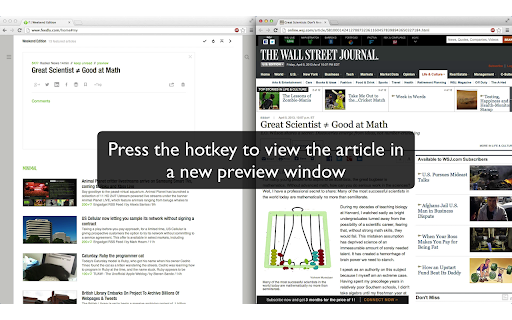

Open Feedly Links in a Preview Window using shortcut key
Are you a power user on Feedly, but annoyed that the 'v' shortcut key opens articles in a focused tab? This extension fixes that!
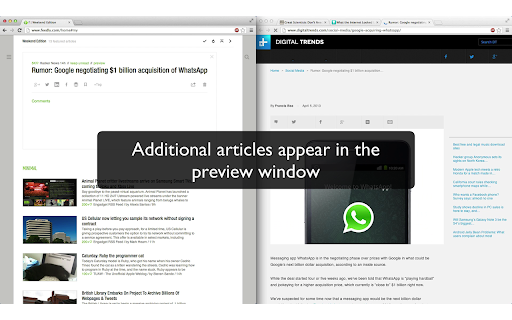
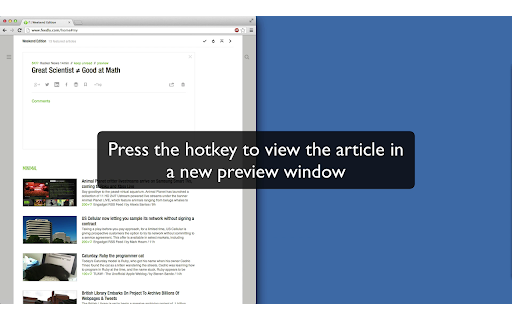
After installing this extension, when looking at an article in list view, simply press ; and it will open in a new preview window. Any additional articles will be opened in the same preview window. This is perfect for large or multiple monitors and offers you a full "reading pane" for your articles.
Want to change your shortcut key? Simply visit the options page.
Note: This extension is but a few line changes from Aaron Saray's awesome feedlybackgroundtab extension. This workflow is something I have sought for a long time, but I wouldn't have been able to do if Aaron hadn't open sourced and documented his extension so well.
| 分类 | 📝工作流程与规划 |
| 插件标识 | oodgcldmocgdhjeibiphdlippflhiiea |
| 平台 | Chrome |
| 评分 |
☆☆☆☆☆
|
| 评分人数 | |
| 插件主页 | https://chromewebstore.google.com/detail/feedly-preview-window/oodgcldmocgdhjeibiphdlippflhiiea |
| 版本号 | 1.13.1 |
| 大小 | 12.29KiB |
| 官网下载次数 | 282 |
| 下载地址 | |
| 更新时间 | 2017-12-10 00:00:00 |
CRX扩展文件安装方法
第1步: 打开Chrome浏览器的扩展程序
第2步:
在地址栏输入: chrome://extensions/
第3步: 开启右上角的【开发者模式】
第4步: 重启Chrome浏览器 (重要操作)
第5步: 重新打开扩展程序管理界面
第6步: 将下载的crx文件直接拖入页面完成安装
注意:请确保使用最新版本的Chrome浏览器