
AVIM - Vietnamese Input Method Chrome 插件, crx 扩展下载
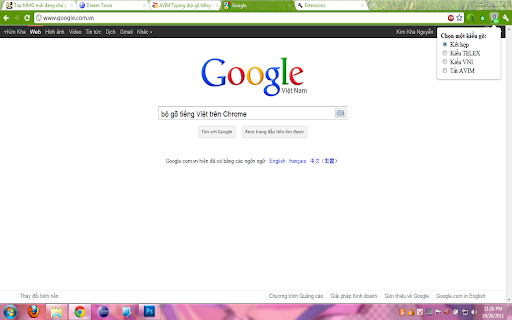
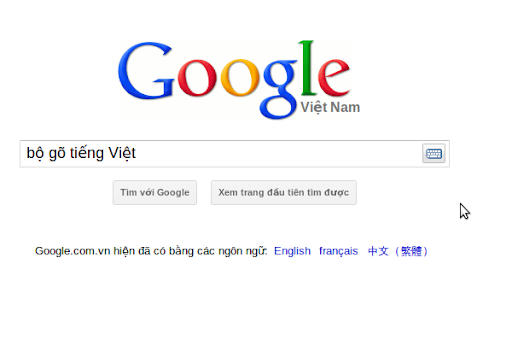
An input method editor (IME) for Vietnamese, best choice for Chrome.
NEW FEATURES:
- You can turn on/off AVIM by press Ctrl twice.
- No longer mistype password or email like others do.
- Works with almost sites (except Chrome Web Store).
- There is a textbox for typing Vietnamese in popup.
==========
Now, it become OPEN SOURCE, and you can fork at https://github.com/kimkha/avim-chrome
==========
That extension help the Vietnamese user type all special characters of Vietnamese. It based on AVIM (by Hieu Tran Dang).
USAGE
- After installing, please refresh your all website, then type something into the input areas on that site. Yeah, you used AVIM successful...
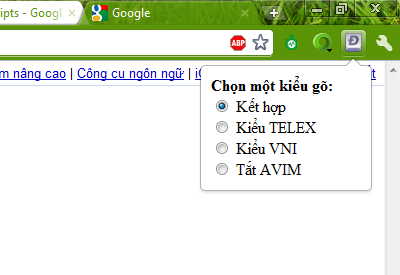
- Click on icon to change your custom method. Default is Mixed (combining of Telex and VNI methods).
- Then please come back here and write some review for me. Thank you!
LIMITS:
- Cannot use on Address bar
- Cannot use on Chrome web store
- Cannot use on Google Docs
| 分类 | 📝工作流程与规划 |
| 插件标识 | opgbbffpdglhkpglnlkiclakjlpiedoh |
| 平台 | Chrome |
| 评分 |
☆☆☆☆☆
|
| 评分人数 | |
| 插件主页 | https://chromewebstore.google.com/detail/avim-vietnamese-input-met/opgbbffpdglhkpglnlkiclakjlpiedoh |
| 版本号 | 25.2.3.0 |
| 大小 | 25.56KiB |
| 官网下载次数 | 6000 |
| 下载地址 | |
| 更新时间 | 2021-04-08 00:00:00 |
CRX扩展文件安装方法
第1步: 打开Chrome浏览器的扩展程序
第2步:
在地址栏输入: chrome://extensions/
第3步: 开启右上角的【开发者模式】
第4步: 重启Chrome浏览器 (重要操作)
第5步: 重新打开扩展程序管理界面
第6步: 将下载的crx文件直接拖入页面完成安装
注意:请确保使用最新版本的Chrome浏览器