
Jigsaw Mockups Chrome 插件, crx 扩展下载
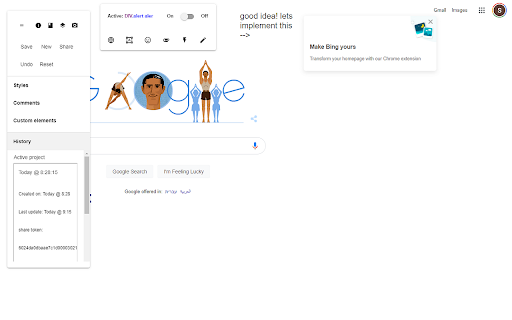
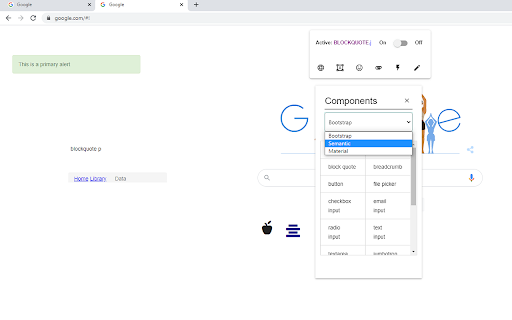
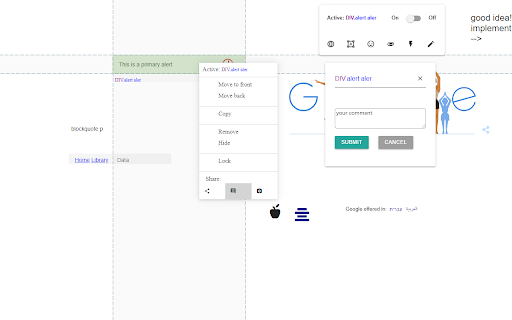
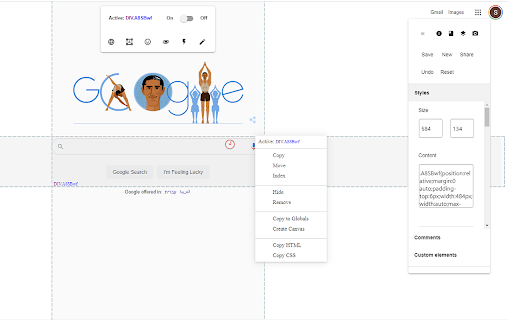
Full free mockup and product planning tool inside a browser extension
Jigsaw is a full, free, mockup environment with super powers! Jigsaw can turn any HTML on any website into styleable mock up components for your next wireframe or product plan.
Intended to simplify the process of planning future iterations of already launched websites / web apps before designer handoff, Jigsaw loads on top of your web page so you can plan your next feature set with your wepage as the context, instead of an empty white page, staying focused on the areas that need to be changed and seeing how your planned interface upgrade looks and works in the context of the whole website.
Jigsaw is completely free and does not save any user data.
Sharing is done through anonymous tokens so you can still share with your team without team accounts and payments.
Jigsaw is still experimental and some bugs will happen :)
-----
The tool's main work flows:
Adding mockup components to a page
1) Go to your web product's homepage or any other page and toggle the tool on
2) Add a canvas (white rectangle) on top of the areas you'd like to work on
2) Add mockup components, icons, images on top of the canvas area
3) Manipulate, style, comment, take notes on any component
4) Share your work
Adding html structures from another website to your page
1) Go to any website that has an HTML element/s you'd like to convert into a custom mockup component and include in your next wireframe and toggle the tool on
3) Right click on the html structure and select "copy to globals" which will save that html structure as a styleable mock up component
4) Go to your web product's homepage or any other page and toggle the tool on
5) Click on globals menu item and select the new custom html structure/s to add it/them to the page
Working on a white page
1) Toggle the tool on
2) Click on the "go to canvas page" icon
3) Start working on a white page like a standard mock up tool, but with all the custom components available from any website online.
----
new in 0.6.3.0
* Fixed undo functionality on hidden page components
* Fixed image manipulation issues
* Fixed icon manipulation issues
* Fixed some component targeting issues with context menu
* Fixed not being able to save image changes
* Increased size of upload layer
* Hid "redo" until fixed
new in 0.6.2.8
* The mockup environment now persists in the tab you're working in so when you switch domains the environment will load in automatically
* Improved load speed
* Improved context menu behavior
| 分类 | 💻开发者工具 |
| 插件标识 | pabcpkphcbamcdeobmfjkgjmogjdbgjn |
| 平台 | Chrome |
| 评分 |
☆☆☆☆☆
|
| 评分人数 | |
| 插件主页 | https://chromewebstore.google.com/detail/jigsaw-mockups/pabcpkphcbamcdeobmfjkgjmogjdbgjn |
| 版本号 | 8.3 |
| 大小 | 3.0MiB |
| 官网下载次数 | 234 |
| 下载地址 | |
| 更新时间 | 2021-02-11 00:00:00 |
CRX扩展文件安装方法
第1步: 打开Chrome浏览器的扩展程序
第2步:
在地址栏输入: chrome://extensions/
第3步: 开启右上角的【开发者模式】
第4步: 重启Chrome浏览器 (重要操作)
第5步: 重新打开扩展程序管理界面
第6步: 将下载的crx文件直接拖入页面完成安装
注意:请确保使用最新版本的Chrome浏览器