
YouTube Experience Enhancer Chrome 插件, crx 扩展下载
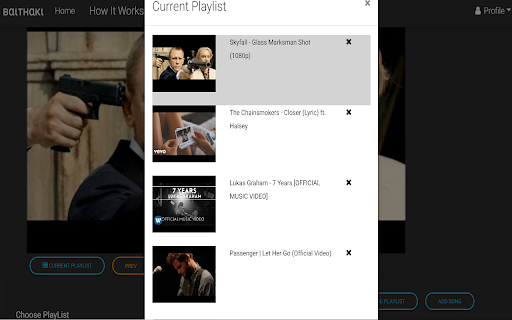

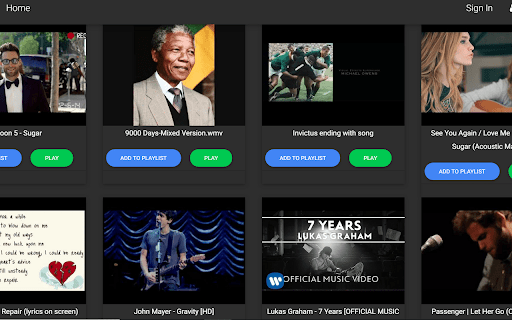
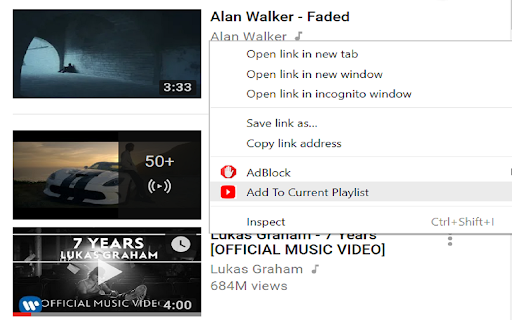
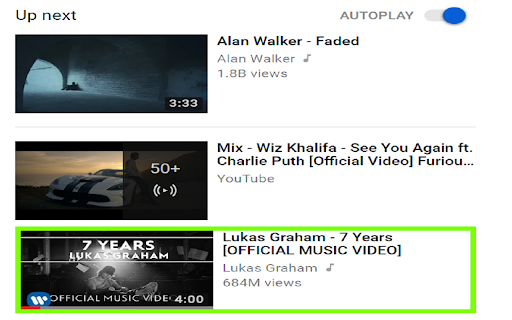
Enables You to have a Current Playlist While Playing YouTube
Binging on YouTube videos?
Don’t’ like what YouTube recommends in autoplay?
Bored of watching the same media on your playlist over and over?
Got a theme in mind or a set of videos you’d definitely want to watch just that one time-
fret no more,
we’ve got you covered. Now create a current playlist using YouTube Experience Enhancer.
View the Video for details as to how to use : https://youtu.be/l9f-ga9hmGY
This is what YouTube Experience Enhancer has to offer-
• Stackup youtube media on the fly
• Consolidate and order in videos into a volatile ‘current playlist’ that maps to your current mood
• Sit back, enjoy & redo!
At present website is hosted here (for demo) : http://baithaki.com/
YouTube doesn't have the concept of current playlist.
One either has to listen to autoplay or choose a new song each time the previous song ends
or create a permanent playlist every time.
For any queries bugs etc drop me an email: [email protected]
| 分类 | 🎉趣味休闲 |
| 插件标识 | pcddanbgknjmmnbcddgncpigdchgihlo |
| 平台 | Chrome |
| 评分 |
☆☆☆☆☆
|
| 评分人数 | |
| 插件主页 | https://chromewebstore.google.com/detail/youtube-experience-enhanc/pcddanbgknjmmnbcddgncpigdchgihlo |
| 版本号 | 3.0.6 |
| 大小 | 76.85KiB |
| 官网下载次数 | 68 |
| 下载地址 | |
| 更新时间 | 2018-08-29 00:00:00 |
CRX扩展文件安装方法
第1步: 打开Chrome浏览器的扩展程序
第2步:
在地址栏输入: chrome://extensions/
第3步: 开启右上角的【开发者模式】
第4步: 重启Chrome浏览器 (重要操作)
第5步: 重新打开扩展程序管理界面
第6步: 将下载的crx文件直接拖入页面完成安装
注意:请确保使用最新版本的Chrome浏览器