
Just Stream Chrome 插件, crx 扩展下载

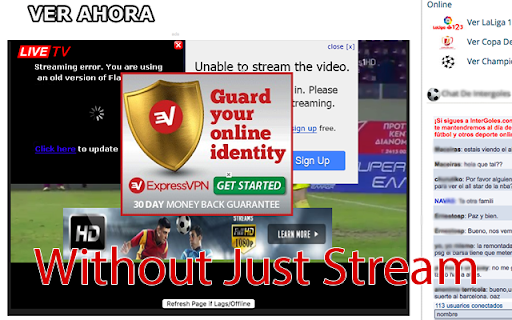

Are you tired of all the ads of streaming sites? Just Stream filters everyting but the video so you can enjoy your streams again.
How does it work?
Streaming sites usually embed videos from video hosting sites and add advertisements on top of it. Just Stream extract the video from the page that it hosted, and replace the contents of the streaming site just with the video. I makes you save a lot of time closing overlays.
Usage
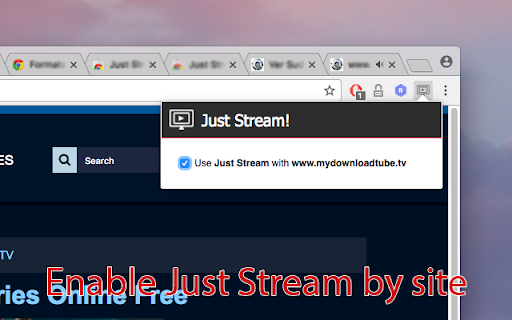
Just Stream works automatically when it detects a embeded video, taking that video to the front. You can always deactivate Just Stream for websites where you don't want it to work.
Does it removes the ads completely?
Just Stream is not an ad blocker, it just replace the streaming page contents with the embeded video. That is enough to remove all the ads from the streaming website but, if there are advertisements in the video hosting site, they will still be there. You can expect multiple improvements in the future, but right now it already saves you a lot of hassle. The use of an ad blocker is also recommended.
Changelog
## Version 1.1.0
* Improves video detection: Reduce wrong videos to the front. Added videos using <embed> element.
* Takes the video to the very front of the iframe.
* Adds fullscreen capabilities for all videos.
| 分类 | 👥社交 |
| 插件标识 | pcophbkkcbbhpdkkpknbfcoogejbafic |
| 平台 | Chrome |
| 评分 |
☆☆☆☆☆
|
| 评分人数 | |
| 插件主页 | https://chromewebstore.google.com/detail/just-stream/pcophbkkcbbhpdkkpknbfcoogejbafic |
| 版本号 | 3.128.4 |
| 大小 | 127KiB |
| 官网下载次数 | 389 |
| 下载地址 | |
| 更新时间 | 2017-02-27 00:00:00 |
CRX扩展文件安装方法
第1步: 打开Chrome浏览器的扩展程序
第2步:
在地址栏输入: chrome://extensions/
第3步: 开启右上角的【开发者模式】
第4步: 重启Chrome浏览器 (重要操作)
第5步: 重新打开扩展程序管理界面
第6步: 将下载的crx文件直接拖入页面完成安装
注意:请确保使用最新版本的Chrome浏览器