
Magnet Links for Torrentz Chrome 插件, crx 扩展下载
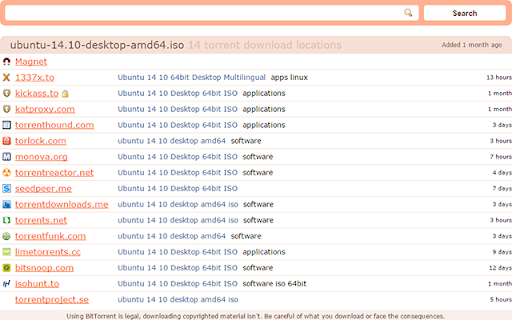
Adds magnet links to torrent files on Torrentz.
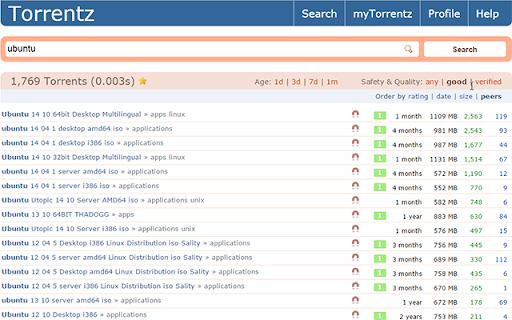
Adds magnet links to torrents on the Torrentz search engine. Works both on search result pages and single torrent pages.
Note: on a search result page you need to hover over the magnet icon for a moment if you want the link to contain the trackers. When the icon becomes highlighted, it means that the trackers have been added, altough the link will also work without them. On single pages trackers are added instantly.
The extension works on all official Torrentz-sites but not on proxies. Supporting proxies is under consideration.
It's written in vanilla JavaScript and is over six times smaller in size than its rivals.
GitHub: https://github.com/bodyflex/torrentz-magnet
| 分类 | ♿无障碍访问 |
| 插件标识 | pgmaidhfoodebfiocgananbdfnankehm |
| 平台 | Chrome |
| 评分 |
☆☆☆☆☆
|
| 评分人数 | |
| 插件主页 | https://chromewebstore.google.com/detail/magnet-links-for-torrentz/pgmaidhfoodebfiocgananbdfnankehm |
| 版本号 | 2.19.1 |
| 大小 | 8.78KiB |
| 官网下载次数 | 10000 |
| 下载地址 | |
| 更新时间 | 2015-03-19 00:00:00 |
CRX扩展文件安装方法
第1步: 打开Chrome浏览器的扩展程序
第2步:
在地址栏输入: chrome://extensions/
第3步: 开启右上角的【开发者模式】
第4步: 重启Chrome浏览器 (重要操作)
第5步: 重新打开扩展程序管理界面
第6步: 将下载的crx文件直接拖入页面完成安装
注意:请确保使用最新版本的Chrome浏览器