
Redmine Helper Chrome 插件, crx 扩展下载
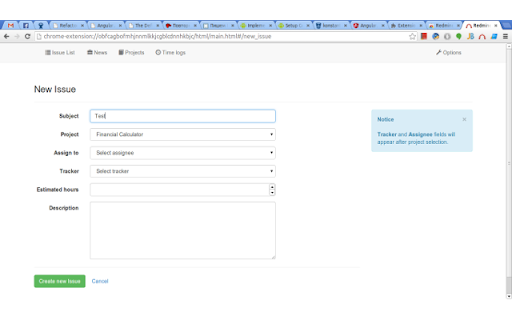
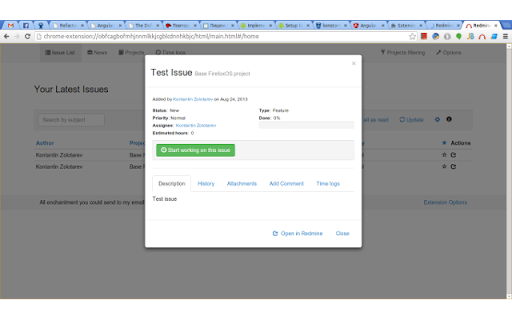
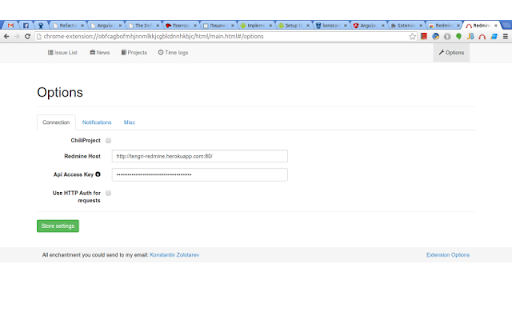
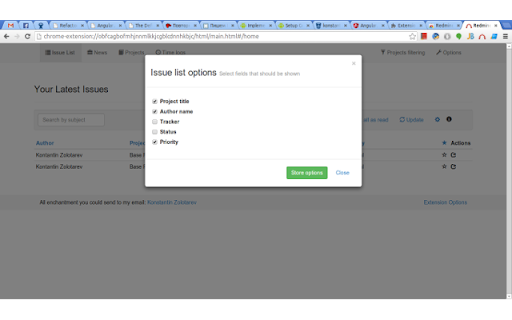
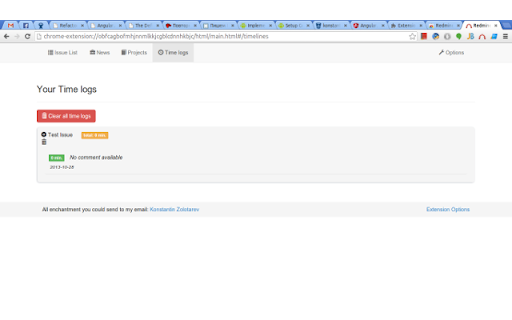
This extension will help to work with your Redmine issues without need to open Redmine
This plugin will notify you of the change of your Redmine issues. And give ability to work with them.
Change Status, Type, Done percentage.
Adding comments to issues.
Creating new issues.
And track time you spent on issues.
It requires Redmine 1.3.0 or later.
To start working with this extension (after installation) go to the options page and enter your Redmine URL and Api Access Key (Could be found into your Redmine profile).
For now this extension is under development and lot of new features will be added very soon.
Changelog
---------------------------------
2.0.0 (28-Oct-2013)
- Moved to new version of Twitter Bootstrap (v3)
- Lots of core fixes
- Fixed list of project
- Fixed creation of new project
- Fixed minor issues
- Added priority field to list of issues
- Fixed Redmine URL + port issues
- Lot of UI updates
1.7.0 (25-Apr-2013)
- Time synchronization with Redmine
- Ability to add comments to time entry
- "Mark as read" fix
-
1.6.8 (8-Apr-2013)
- Lot of core fixes
1.6.6 (11-Mar-2013)
- Updated storage location
- Major code enchantments
- Added time tracking ability
- List of available projects
- UI enchantments
1.6.0 (15-Feb-2013)
- Updated Twitter Bootstrap to version 2.3
- Added ChiliProject support
- Updated UI
- Latest news
- Code optimization and stability improvements
1.5.6 (17-Dec-2012)
- Stability improvements
- Now in Issue details attachments could be downloaded from History tab
- Bug fixes
1.5.2 (15-Dec-2012)
- Ability to collapse/expand history items in issues details
- Now extension also loads issues you watching into Redmine
- Bug fixes
1.4.1 (13-Dec-2012)
- Error handling into create & update issues
- Core stability improvement
1.2 (1-Dec-2012)
- Stability update
- Fixed issue statuses loading
- Minor bug fixes
1.1 (30-Nov-2012)
- Code & stability improvements
- Remove unused code
1.0 (28-Nov-2012)
- Create new issue from selected text (Context menu)
- Hints + disable hints in options
- Options code optimization
- Minor UI optimization
0.9.9 (23-Nov-2012)
- Attach file to issue
- Attachment history parsing
- Stability improvements
- V8 code optimazation
0.9.8 (20-Nov-2012)
- Added "Issue list options"
0.9.7 (19-Nov-2012)
- Added assignee field into Create issue
- Core fixes
| 分类 | 📝工作流程与规划 |
| 插件标识 | pieialbeacphlakbcihifblpinjpdhlb |
| 平台 | Chrome |
| 评分 |
☆☆☆☆☆
|
| 评分人数 | |
| 插件主页 | https://chromewebstore.google.com/detail/redmine-helper/pieialbeacphlakbcihifblpinjpdhlb |
| 版本号 | 25.2.3.0 |
| 大小 | 230KiB |
| 官网下载次数 | 616 |
| 下载地址 | |
| 更新时间 | 2013-10-28 00:00:00 |
CRX扩展文件安装方法
第1步: 打开Chrome浏览器的扩展程序
第2步:
在地址栏输入: chrome://extensions/
第3步: 开启右上角的【开发者模式】
第4步: 重启Chrome浏览器 (重要操作)
第5步: 重新打开扩展程序管理界面
第6步: 将下载的crx文件直接拖入页面完成安装
注意:请确保使用最新版本的Chrome浏览器