
Randstad RiseSmart Browser Extension Chrome 插件, crx 扩展下载
Looking to find quality job candidates who are available to start working today?
Randstad RiseSmart’s FirstLook™ browser…
Looking to find quality job candidates who are available to start working today?
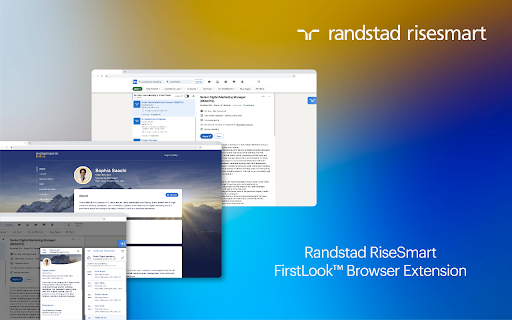
Randstad RiseSmart’s FirstLook™ browser extension uses powerful marketplace technology to help you find qualified talent fast!
The FirstLook browser extension is a free tool for recruiters to find matched candidates from RiseSmart’s database of available, experienced candidates.
***********************************************************
Find the right candidates
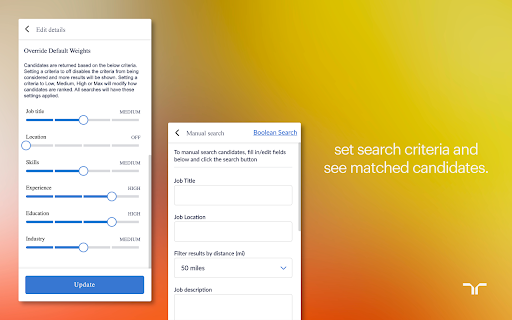
You can filter candidates by job title, location, skills, experience, education, and industry. If you’re open to remote candidates from anywhere in the world, you can turn off the location criteria.
***********************************************************
See matched candidates
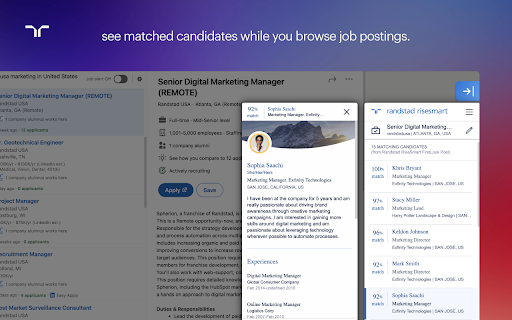
Search directly in the browser extension for candidates or get matches shown directly to you automatically as candidates browse your job postings.
If you’re looking for potential candidates on LinkedIn, the browser extension will automatically find and display similarly qualified candidates from RiseSmart’s database.
***********************************************************
View candidate profiles
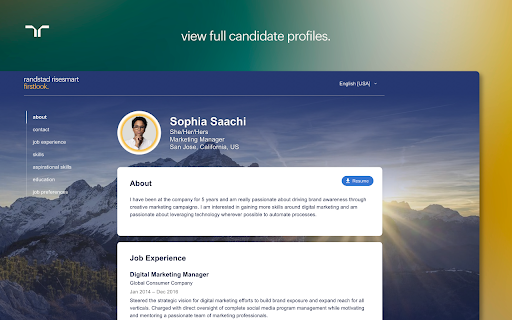
Click on any candidate to see a summary profile. You can also view their full profile to see additional values such as contact information so that you can reach out and set up the next steps.
| 分类 | 📝工作流程与规划 |
| 插件标识 | pijpdgfelkpobngnjholleebdlbkiood |
| 平台 | Chrome |
| 评分 |
☆☆☆☆☆
|
| 评分人数 | |
| 插件主页 | https://chromewebstore.google.com/detail/randstad-risesmart-browse/pijpdgfelkpobngnjholleebdlbkiood |
| 版本号 | 25.2.3.0 |
| 大小 | 4.32MiB |
| 官网下载次数 | 52 |
| 下载地址 | |
| 更新时间 | 2021-12-04 00:00:00 |
CRX扩展文件安装方法
第1步: 打开Chrome浏览器的扩展程序
第2步:
在地址栏输入: chrome://extensions/
第3步: 开启右上角的【开发者模式】
第4步: 重启Chrome浏览器 (重要操作)
第5步: 重新打开扩展程序管理界面
第6步: 将下载的crx文件直接拖入页面完成安装
注意:请确保使用最新版本的Chrome浏览器