
YT Hide Seen Videos Chrome 插件, crx 扩展下载
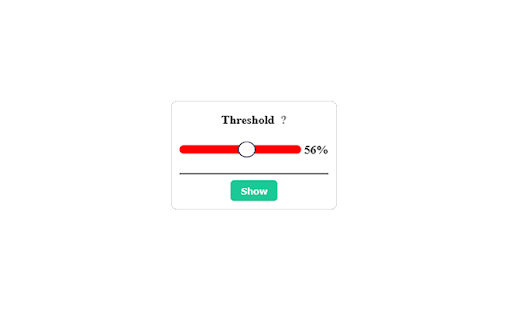
Allow to remove already seen videos from the youtube search results. Threshold can be adjusted.
Tired of being recommanded YouTube videos you saw already ? Tired of searching for videos and seing the same ones over and over again ? Well, YT Hide Seen Videos could help you with that.
YT Hide Seen Videos allows you to hide videos you already saw based on the video progress bar. This way, your data stay in your computer and is not needed to be sent in any kind of server.
It also allow to integrate a thresold :
Let's say you don't want to watch videos that you stopped halfway through. Then set the thresold at 50% and enjoy your new, unpolluted, content.
Simply install the extension, set the thresold at the desired value (or use the default 90%) and hit the "hide" button. That's it, you can now browse YouTube and enjoy your experience.
| 分类 | ♿无障碍访问 |
| 插件标识 | pkecjnecjoedomdofhafelmbnkgenegh |
| 平台 | Chrome |
| 评分 |
☆☆☆☆☆
|
| 评分人数 | |
| 插件主页 | https://chromewebstore.google.com/detail/yt-hide-seen-videos/pkecjnecjoedomdofhafelmbnkgenegh |
| 版本号 | 3.128.4 |
| 大小 | 17.48KiB |
| 官网下载次数 | 29 |
| 下载地址 | |
| 更新时间 | 2021-10-08 00:00:00 |
CRX扩展文件安装方法
第1步: 打开Chrome浏览器的扩展程序
第2步:
在地址栏输入: chrome://extensions/
第3步: 开启右上角的【开发者模式】
第4步: 重启Chrome浏览器 (重要操作)
第5步: 重新打开扩展程序管理界面
第6步: 将下载的crx文件直接拖入页面完成安装
注意:请确保使用最新版本的Chrome浏览器