
My Map Free Chrome 插件, crx 扩展下载
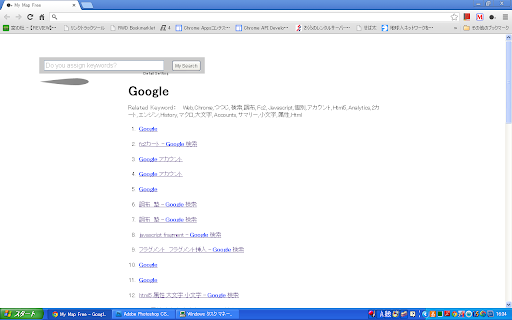
History of Automatical Arrangement & Search
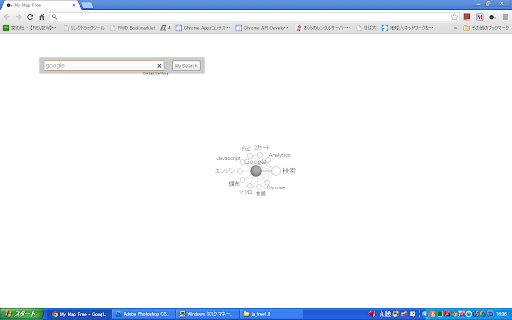
An app automatically arranges & searches Chrome's History. "What kind of work did I do yesterday?", you can see it at a glance with My Map. Your "My Map" is automatically made, which arranges browsed pages by each keyword.
Click Logo-button on the right-top of the browser to launch the app.
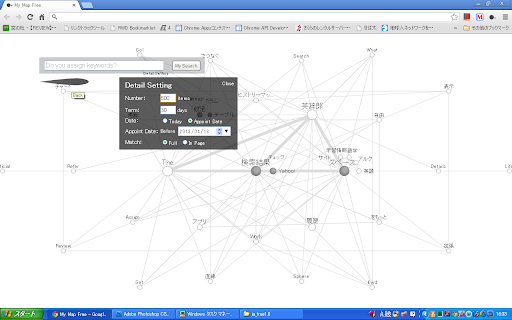
You can adjust the number of search items, search term, and search conditions on Detail Setting.
External Review:
"WWWhat's New"(Spain) posts the article, "My Map Free – Nuestro historial de navegación a modo de mapa [Chrome]"(27/05/2013).
http://wwwhatsnew.com/2013/05/27/my-map-free-es-una-extension-para-chrome-que-nos-visualiza-nuestro-historial-de-navegacion-a-modo-de-mapa/
Usage for Beginner:
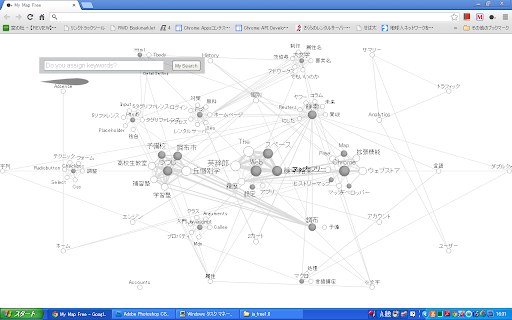
When you launch the app, or when you push the search button without any keywords, My Map produces the history map of the term(time) assigned in the detail setting.
By selecting Detail Setting → Term, set the term for about 3 days and to display the WEB pages browsed in the last several days, then it is so useful that you can review your works in a couple days only by launching My Map.
Description:
With this app, you can understand what kind of Web pages you have seen in the past at a large picture. Each Web page is arranged by keywords.
If you search by not assigning any keywords, you can draw all Web pages that fit Detail Setting. Or you search by assigning some keywords, you can draw only Web pages which contain the keywords.
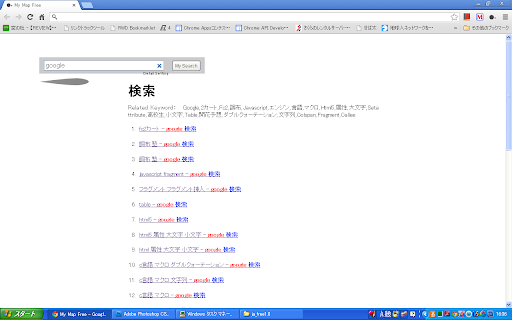
By clicking the keywords the list of Web pages is displayed. From the list, you can open Web pages, or track related keywords.
Keywords are layered by their relations, and being able to display the sub layer by clicking spheres. Related keywords are joined by the straight lines.
About Personal Information Protection:
Through this software, we do not gather or save any information.
About Discharge:
For fault and damage occurred by this software, company and author accept no responsibility.
Author & Distributor: Sebata & CO.,LLC
| 分类 | 💻开发者工具 |
| 插件标识 | pklnbjkiadglpemlgdaheegaehhlehlp |
| 平台 | Chrome |
| 评分 |
☆☆☆☆☆
|
| 评分人数 | |
| 插件主页 | https://chromewebstore.google.com/detail/my-map-free/pklnbjkiadglpemlgdaheegaehhlehlp |
| 版本号 | 8.3 |
| 大小 | 43.14KiB |
| 官网下载次数 | 1000 |
| 下载地址 | |
| 更新时间 | 2017-02-08 00:00:00 |
CRX扩展文件安装方法
第1步: 打开Chrome浏览器的扩展程序
第2步:
在地址栏输入: chrome://extensions/
第3步: 开启右上角的【开发者模式】
第4步: 重启Chrome浏览器 (重要操作)
第5步: 重新打开扩展程序管理界面
第6步: 将下载的crx文件直接拖入页面完成安装
注意:请确保使用最新版本的Chrome浏览器