
YouTube™ Dark Chrome 插件, crx 扩展下载
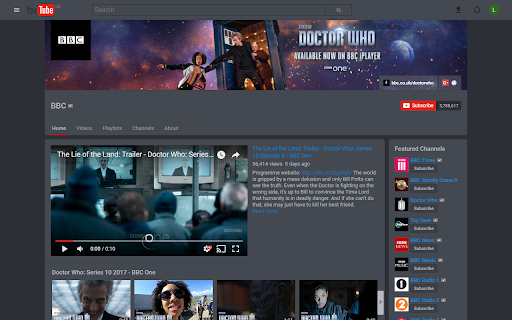
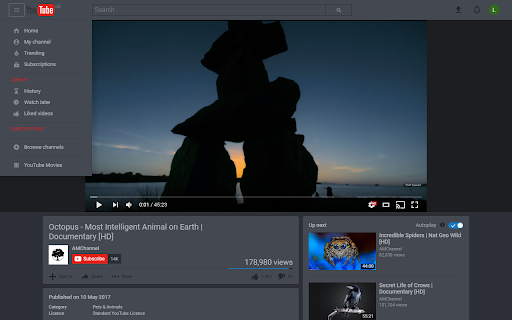
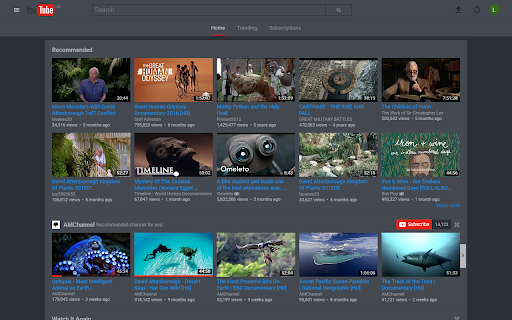
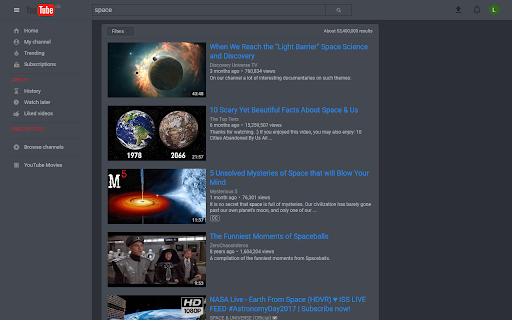
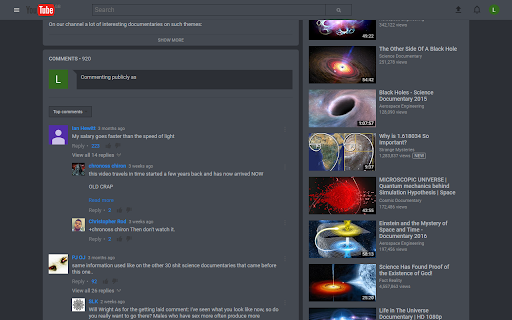
Enable/Disable YouTube™ Dark Mode and hide comments! [ALPHA]
YouTube™ Dark - All it does is allow you to toggle a dark theme on YouTube™, helpful for those late night YouTube binges! And now enable/disable comments! Nothing more, nothing less!
Version 0.0.5 includes the following changes:
- Fixed logo bugging when YouTube doodle is used
- styled the search suggestions to be more inline with the overall style
Version 0.0.4 includes the following changes:
- White logo switched out so it looks cleaner
Version 0.0.3 includes the following changes:
- Option to enable/disable comments
- Many additional style changes to various parts of YouTube
Instructions:
- Install Plugin
- Enable Plugin
- Click the YouTube Dark icon that appears
- Click Enable
- Enjoy!
| 分类 | ♿无障碍访问 |
| 插件标识 | plglhpmdnpckcegcdioefjiojlmopmnk |
| 平台 | Chrome |
| 评分 |
☆☆☆☆☆
|
| 评分人数 | |
| 插件主页 | https://chromewebstore.google.com/detail/youtube-dark/plglhpmdnpckcegcdioefjiojlmopmnk |
| 版本号 | 3.0.5 |
| 大小 | 658KiB |
| 官网下载次数 | 428 |
| 下载地址 | |
| 更新时间 | 2017-06-08 00:00:00 |
CRX扩展文件安装方法
第1步: 打开Chrome浏览器的扩展程序
第2步:
在地址栏输入: chrome://extensions/
第3步: 开启右上角的【开发者模式】
第4步: 重启Chrome浏览器 (重要操作)
第5步: 重新打开扩展程序管理界面
第6步: 将下载的crx文件直接拖入页面完成安装
注意:请确保使用最新版本的Chrome浏览器