
Extensioner Chrome 插件, crx 扩展下载
Extension management is easier with Extensioner.
v1.2.1 Updated manifest to work with latest version of chrome.
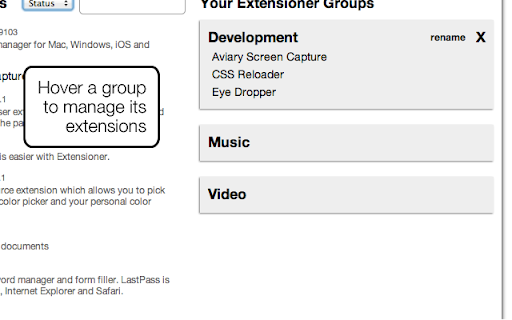
v1.2 Highly-requested new group features!
- Rename groups
- See more groups at once
- Groups stay in view as you scroll
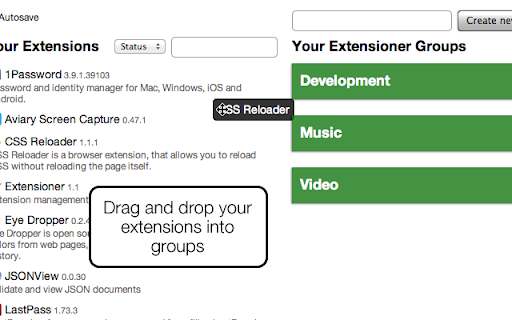
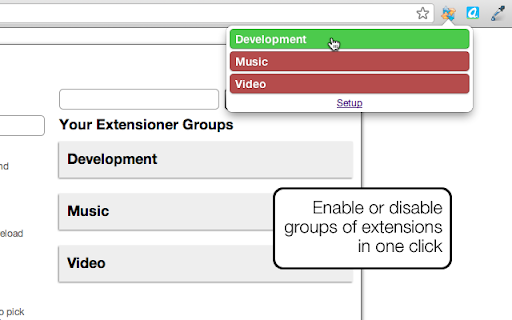
Do you have too many extensions? Toggle them on and off more easily with Extensioner. Simply set up a group of extensions and you'll have two-click access to enable or disable them all at once. Whether you need quick access to one extension or want to enable 30, Extensioner will save you precious clicks.
Please leave a comment if you have any feature requests or bug reports (or just to say hi!). This is an early release but I wanted to get it out the door as quickly as possible to help developers with lots of extensions.
If you need to manage your Apps in a similar way, check out AppJump:
https://chrome.google.com/extensions/detail/hccbinpobnjcpckmcfngmdpnbnjpmcbd
Changelog:
v1.2
- Allow renaming of groups
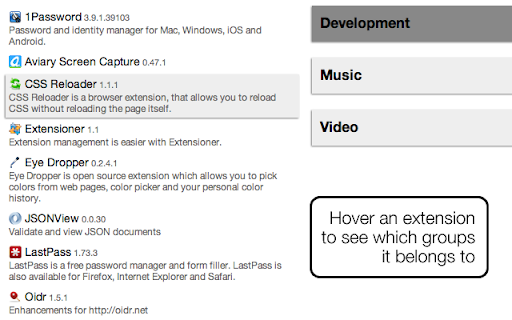
- Add icons to list of extensions
- Highlight extension groups when hovering extensions
- Collapse extension groups when not hovering (allows more groups on screen)
- Keep extension groups in view when scrolling
- Better popup styling
v1.1
- Lots of UI/UX improvements to options page
- "yellow" groups now disable on click
- Add more info to extension list
- Add filter and sort to extension list
- Add autosave feature
- Add omnibox support (keyword "exr")
| 分类 | 📝工作流程与规划 |
| 插件标识 | pmbfkcgplcmlmoccjbcgmopkbefndhpd |
| 平台 | Chrome |
| 评分 |
☆☆☆☆☆
|
| 评分人数 | |
| 插件主页 | https://chromewebstore.google.com/detail/extensioner/pmbfkcgplcmlmoccjbcgmopkbefndhpd |
| 版本号 | 1.2.1 |
| 大小 | 125KiB |
| 官网下载次数 | 1000 |
| 下载地址 | |
| 更新时间 | 2018-06-10 00:00:00 |
CRX扩展文件安装方法
第1步: 打开Chrome浏览器的扩展程序
第2步:
在地址栏输入: chrome://extensions/
第3步: 开启右上角的【开发者模式】
第4步: 重启Chrome浏览器 (重要操作)
第5步: 重新打开扩展程序管理界面
第6步: 将下载的crx文件直接拖入页面完成安装
注意:请确保使用最新版本的Chrome浏览器