
Unicorny Gmail Chrome 插件, crx 扩展下载
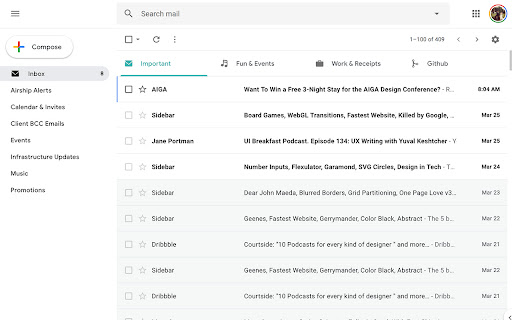
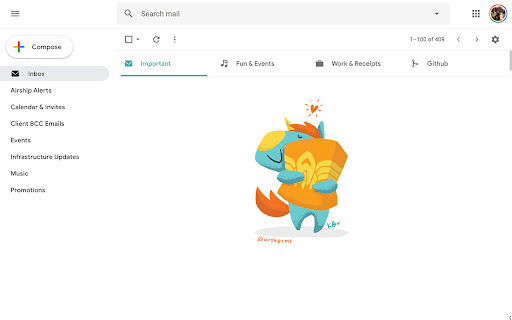
Unicorny Gmail. Gmail Simplified with minimalist, clean UX, inspired by Google Inbox. Plus a touch of Unicorny. :)
Unicorny Gmail. Gmail Simplified with minimalist, clean UX, inspired by Google Inbox. Plus a touch of Unicorny. :) See my blog post from March 2019, detailing my frustration with Gmail and the demise of Google Inbox.
The original CSS was applied with Chrome Extension UserCSS, though I then packaged just the CSS relevant to Gmail as a standalone Chrome Extension.
See my original blog post on this project here!
https://medium.com/@airshipcms/gmail-ux-sucks-so-i-fixed-it-for-my-own-sanity-b6f33898ebe3
Updated Nov 6, 2019. Google updated the interface and Ads are showing again. This update hides ads again.
| 分类 | 📝工作流程与规划 |
| 插件标识 | pmffbbfjmlgobdognnccbkieanlkkjjk |
| 平台 | Chrome |
| 评分 |
☆☆☆☆☆
|
| 评分人数 | |
| 插件主页 | https://chromewebstore.google.com/detail/unicorny-gmail/pmffbbfjmlgobdognnccbkieanlkkjjk |
| 版本号 | 0.2.1 |
| 大小 | 69.38KiB |
| 官网下载次数 | 119 |
| 下载地址 | |
| 更新时间 | 2019-11-07 00:00:00 |
CRX扩展文件安装方法
第1步: 打开Chrome浏览器的扩展程序
第2步:
在地址栏输入: chrome://extensions/
第3步: 开启右上角的【开发者模式】
第4步: 重启Chrome浏览器 (重要操作)
第5步: 重新打开扩展程序管理界面
第6步: 将下载的crx文件直接拖入页面完成安装
注意:请确保使用最新版本的Chrome浏览器