
Freelancer.com Helper Chrome 插件, crx 扩展下载
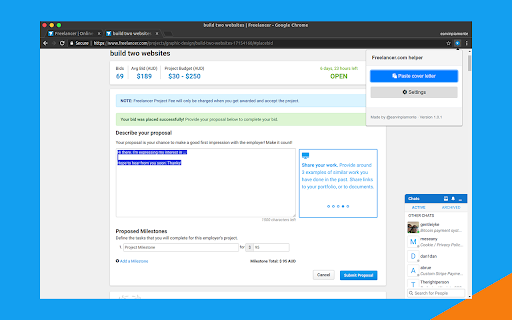
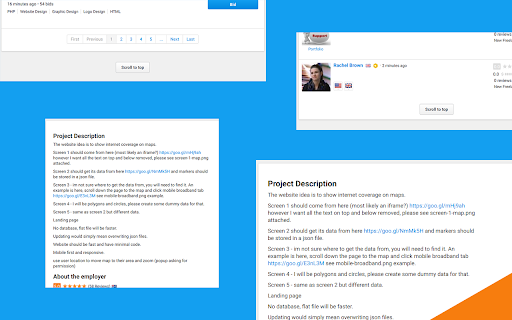
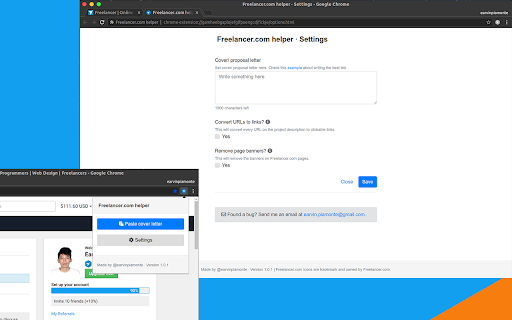
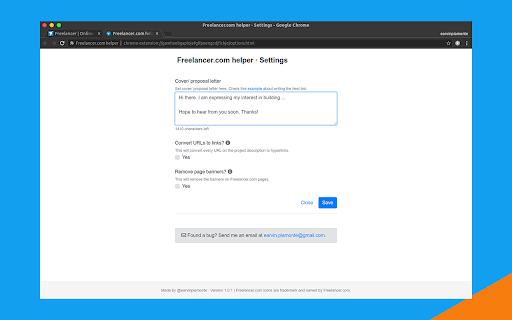
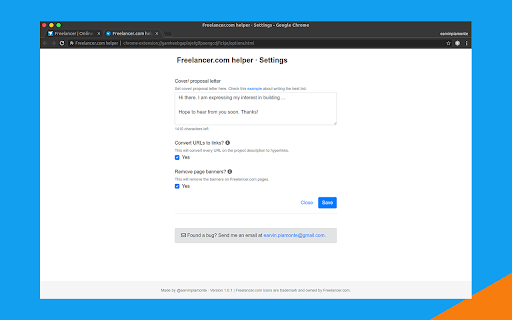
A Chrome extension for Freelancer.com. Paste cover letter easily. Convert URLs to hyperlinks. Scroll to top button. Remove banners.
UPDATES (July 20, 2019)
- Fixed bug on pasting cover letter.
FEATURES
Add your cover letter to your bid easily.
Paste your cover letter template and just change some parts to match the project requirements. It will also somehow reduce the time you usually spend on bidding on a project.
URLs to hyperlinks
Automatically converts URLs to hyperlinks on the project description on page load. This will save you time rather than highlighting the whole URL and doing some action after that. This can be disabled on Settings.
Scroll to top
This feature automatically adds a button under the pagination of project feed and project bids list that will scroll to the top of the page when clicked. This cannot be disabled on Settings.
Scroll to bid
After completing your bid, the page automatically scrolls to your own bid just to let you see if you need some changes to be done. This can be disabled on Settings.
Lastly, remove the banners
Sometimes it's not really necessary to see the banner on the dashboard and on a project page. This can also be disabled on Settings.
WEBSITE
http://freelancer.com-helper.earvinpiamonte.com/
SUPPORT
https://chrome.google.com/webstore/detail/freelancercom-helper/pmmijafedhodejhmdkoahhcgjcimodkp/support
AUTHOR
https://www.freelancer.com/u/earvinpiamonte/
https://www.earvinpiamonte.com/
https://twitter.com/earvinpiamonte/
| 分类 | 📝工作流程与规划 |
| 插件标识 | pmmijafedhodejhmdkoahhcgjcimodkp |
| 平台 | Chrome |
| 评分 |
☆☆☆☆☆
|
| 评分人数 | |
| 插件主页 | https://chromewebstore.google.com/detail/freelancercom-helper/pmmijafedhodejhmdkoahhcgjcimodkp |
| 版本号 | 1.0.11 |
| 大小 | 1.14MiB |
| 官网下载次数 | 278 |
| 下载地址 | |
| 更新时间 | 2020-08-16 00:00:00 |
CRX扩展文件安装方法
第1步: 打开Chrome浏览器的扩展程序
第2步:
在地址栏输入: chrome://extensions/
第3步: 开启右上角的【开发者模式】
第4步: 重启Chrome浏览器 (重要操作)
第5步: 重新打开扩展程序管理界面
第6步: 将下载的crx文件直接拖入页面完成安装
注意:请确保使用最新版本的Chrome浏览器