
Find People Search Chrome 插件, crx 扩展下载
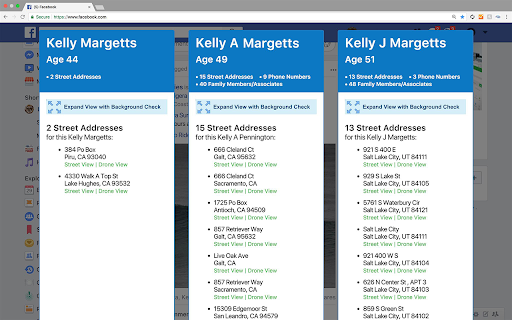

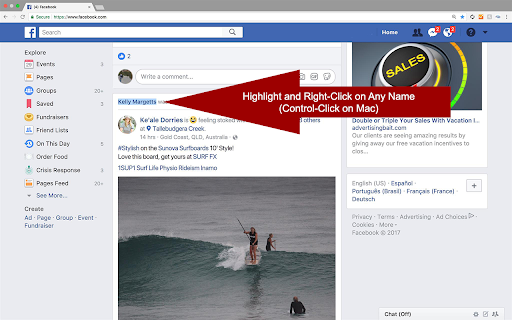
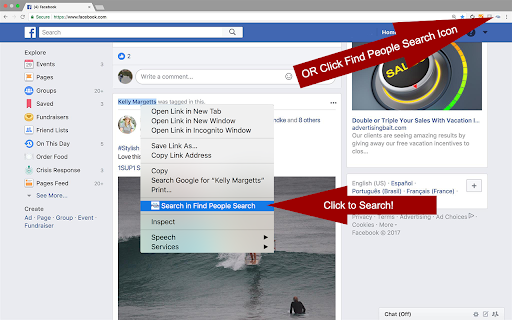
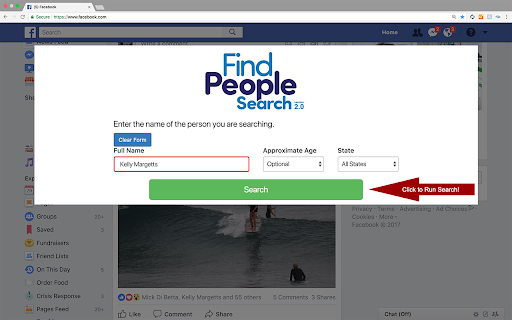
Highlight any name in your browser and get instant free information about that person while staying on the page you're visiting!
Highlight any full name in your browser, right-click (control+click on macs) and select "Search Find People Search". Search results will appear on an overlay while keeping your place on the website you are visiting. FREE instant results include current to up to 30-year history of that person's street addresses, email addresses, phone numbers, friends, relatives and google map images. Click anywhere to remove the overlay and return to the website you were visiting. Results include information about people who are in the United States only.
Privacy Policy:
Find People Search will never distribute a user's authentication information. Further, we will never store or disclose financial or payment information. All financial transactions and authentication processes are encrypted for your protection. Find People Search does not collect or or make use of user browsing activity except to the extent required for user-facing features of the website. For more information on our privacy policy please visit http://www.findpeoplesearch.com/privacy/
| 分类 | 🛠️工具 |
| 插件标识 | pogakilfalpppaalpjolakkbhdpgpnpn |
| 平台 | Chrome |
| 评分 |
☆☆☆☆☆
|
| 评分人数 | |
| 插件主页 | https://chromewebstore.google.com/detail/find-people-search/pogakilfalpppaalpjolakkbhdpgpnpn |
| 版本号 | 1.0.0.47 |
| 大小 | 143KiB |
| 官网下载次数 | 1000 |
| 下载地址 | |
| 更新时间 | 2018-02-09 00:00:00 |
CRX扩展文件安装方法
第1步: 打开Chrome浏览器的扩展程序
第2步:
在地址栏输入: chrome://extensions/
第3步: 开启右上角的【开发者模式】
第4步: 重启Chrome浏览器 (重要操作)
第5步: 重新打开扩展程序管理界面
第6步: 将下载的crx文件直接拖入页面完成安装
注意:请确保使用最新版本的Chrome浏览器