
HotKey Music Controller: YouTube, Spotify Chrome 插件, crx 扩展下载
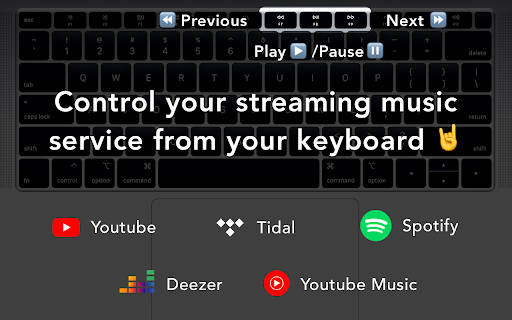
Use keyboard media hotkeys to control YouTube, Youtube Music, Spotify, Tidal, Deezer and improve focus and increase productivity
Use media hotkeys to control Youtube, Youtube Music, Spotify, Tidal and Deezer
Improve Focus and Increase Productivity by using your keyboard media keys ⏪⏯⏩ to control your favorite streaming music service ?? without having to switch tab ?
Open source on GitHub https://github.com/MathiasGilson/MusicControllerChromeExtension
Features :
- Control Spotify from any web page
- Control Tidal from any web page
- Control Youtube Music from any web page
- Control Youtube from any web page
- Control Deezer from any web page
- Control all your music from a single extension.
- Hotkeys for Spotify
- Hotkeys for Tidal
- Hotkeys for Youtube
- Hotkeys for YouTube Music
- Hotkeys for Deezer
- Increase Productivity and End Distraction Through Your Computer Browser
-----
YouTube Music is a trademark of Google Inc. Use of this trademark is subject to Google Permissions.
YouTube is a trademark of Google Inc. Use of this trademark is subject to Google Permissions.
| 分类 | 📝工作流程与规划 |
| 插件标识 | pohakmokiogdbhiocmacgalcmnfdbbne |
| 平台 | Chrome |
| 评分 |
☆☆☆☆☆
|
| 评分人数 | |
| 插件主页 | https://chromewebstore.google.com/detail/hotkey-music-controller-y/pohakmokiogdbhiocmacgalcmnfdbbne |
| 版本号 | 0.0.15 |
| 大小 | 13.51KiB |
| 官网下载次数 | 1000 |
| 下载地址 | |
| 更新时间 | 2020-04-14 00:00:00 |
CRX扩展文件安装方法
第1步: 打开Chrome浏览器的扩展程序
第2步:
在地址栏输入: chrome://extensions/
第3步: 开启右上角的【开发者模式】
第4步: 重启Chrome浏览器 (重要操作)
第5步: 重新打开扩展程序管理界面
第6步: 将下载的crx文件直接拖入页面完成安装
注意:请确保使用最新版本的Chrome浏览器