
Search Engine Spam Blocker Chrome 插件, crx 扩展下载
Blocks spam from search engines' results
What's this about?
You know all those weird autogenerated spammy sites that always pop up in search results, with such amazing titles as "FREE prize sex hot stud bangs busty Finnish Healthcare Clinics for sale"?
SESB aims to purge as many of them as possibile from search engines results pages.
How does it work?
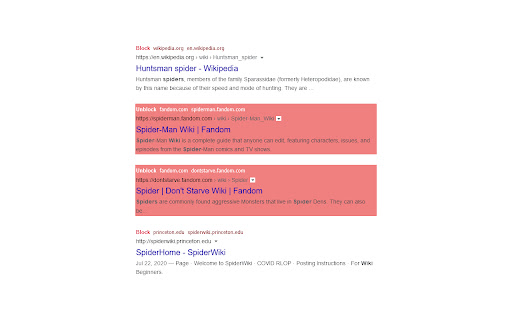
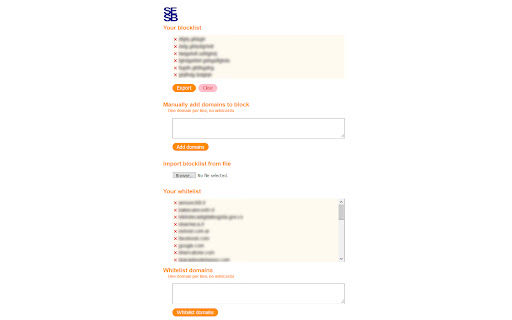
SESB uses two blocklists, one being a built-in, ever-expanding blocklist containing hundreds of thousands of junk sites (which you can find here), the other being your personal blocklist, to which you can freely add and remove sites you don't wanna see, importing them from a text file, typing them out by hand or simply pressing a dedicated button atop of undesired results.
Why is this different from other similar extensions?
SESB is designed to be istantaneous and highly scalable, in order to be able to support extremely large blocklists with little effort.
Anything else?
You can also:
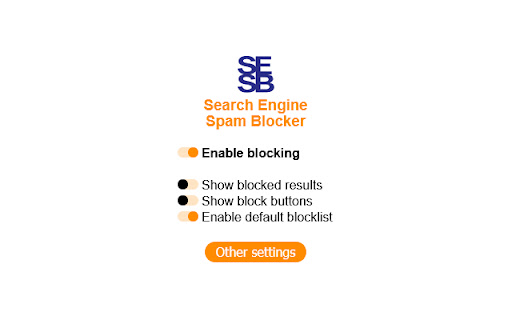
- See the blocked results (indicated with a light red background) instead of hiding them.
- Export your blocklist as a text file.
- Whitelist domains from the built-in blocklist.
SESB currently supports results pages on Google, DuckDuckGo, Bing, Yahoo! Search, Startpage and Yandex.
| 分类 | 🛠️工具 |
| 插件标识 | pojgplmnjjdmmgbabnmjikahgebkogfm |
| 平台 | Chrome |
| 评分 |
☆☆☆☆☆
|
| 评分人数 | |
| 插件主页 | https://chromewebstore.google.com/detail/search-engine-spam-blocke/pojgplmnjjdmmgbabnmjikahgebkogfm |
| 版本号 | 1.1 |
| 大小 | 57.52KiB |
| 官网下载次数 | 424 |
| 下载地址 | |
| 更新时间 | 2021-09-01 00:00:00 |
CRX扩展文件安装方法
第1步: 打开Chrome浏览器的扩展程序
第2步:
在地址栏输入: chrome://extensions/
第3步: 开启右上角的【开发者模式】
第4步: 重启Chrome浏览器 (重要操作)
第5步: 重新打开扩展程序管理界面
第6步: 将下载的crx文件直接拖入页面完成安装
注意:请确保使用最新版本的Chrome浏览器